
You're out for a $180 capacitor and see an 18-year-old condenser on its third repair this year. That's a replacement conversation, but it isn't your job today. Flag for estimator hands it to the office in about fifteen seconds so the lead doesn't die in the truck.
Open Flag for estimator
On the job, scroll to Found more work and tap Flag for estimator.
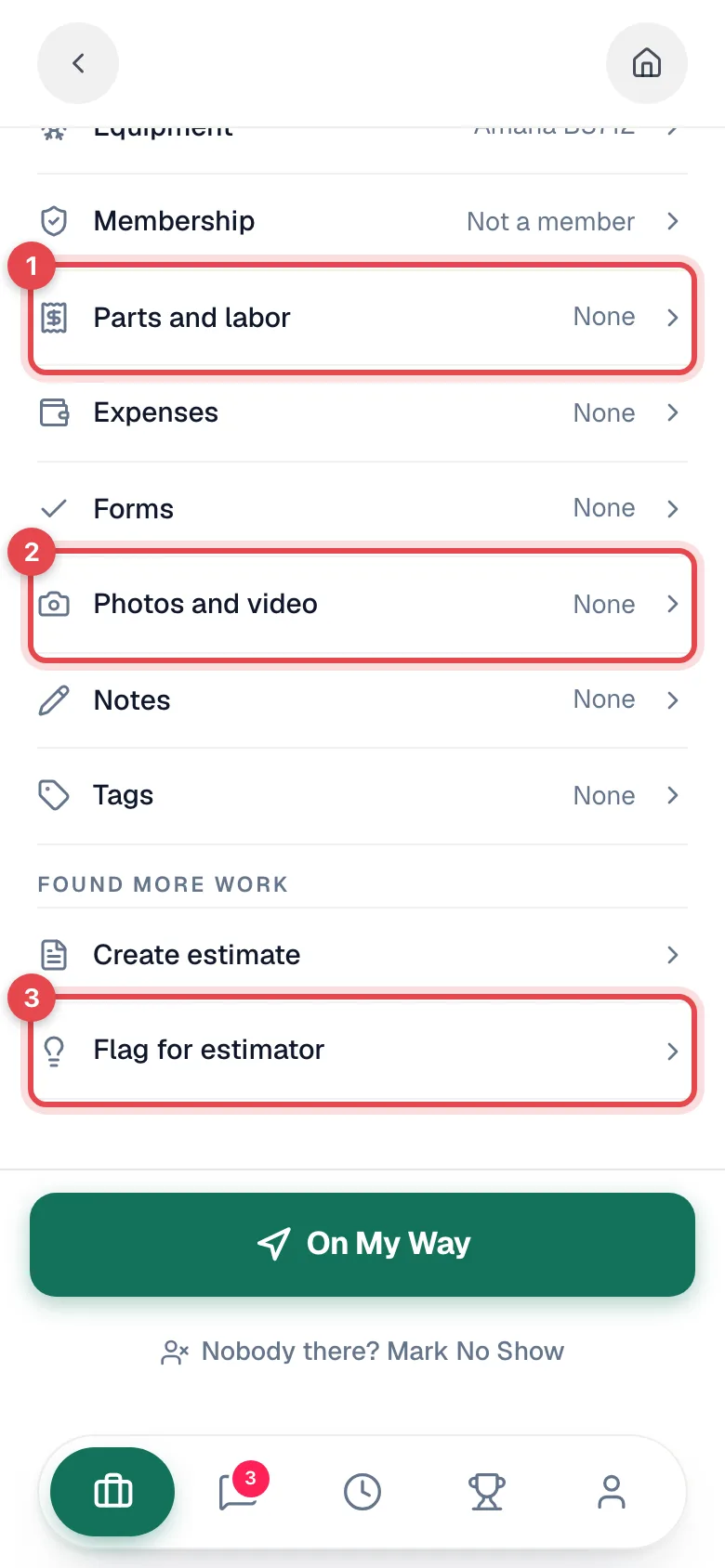
This works on any job with a customer, including jobs that are already finished. Remembering that old condenser while you review yesterday's calls still counts.
Describe what you spotted
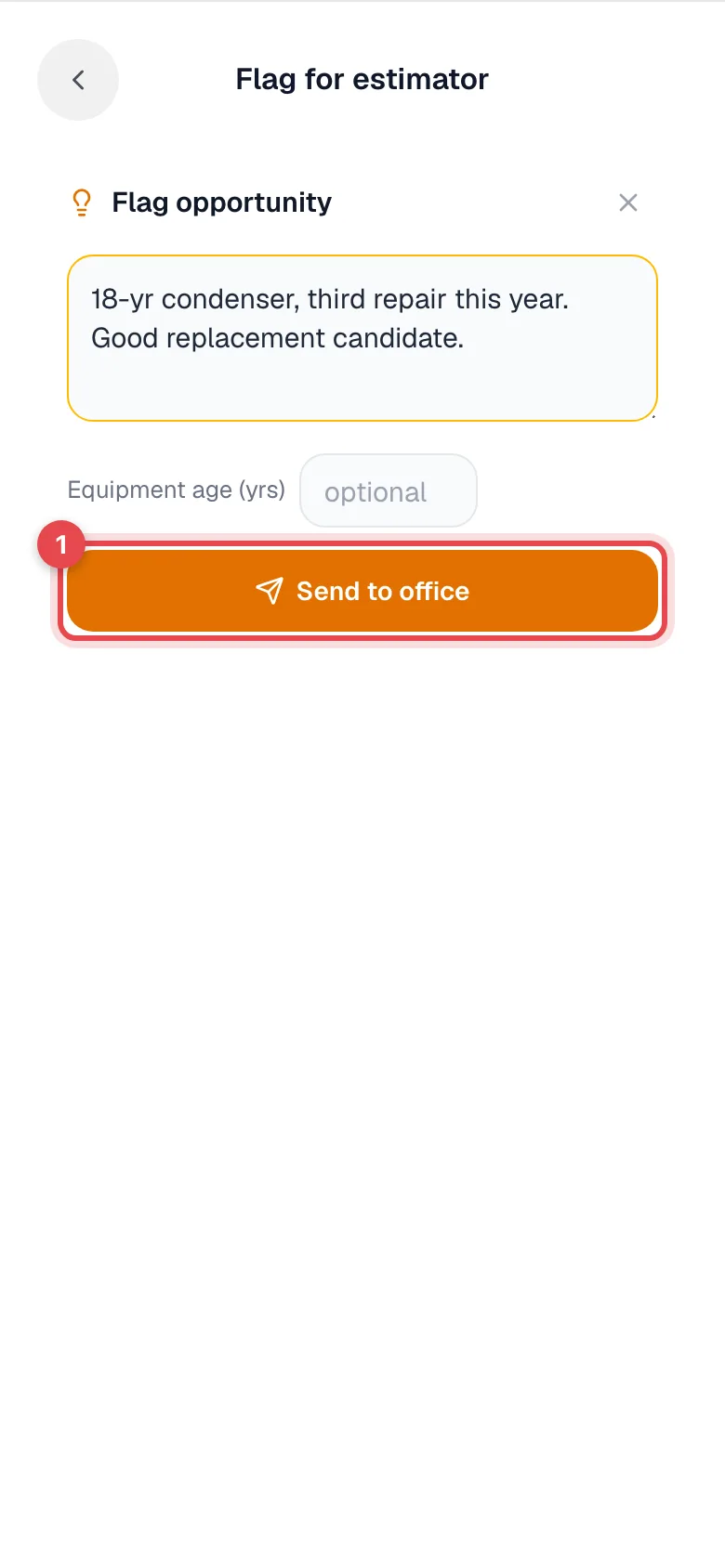
| Field | What to enter |
|---|---|
| Description (the box that asks What did you spot?) | The details that make it worth a call, for example 18-yr condenser, third repair this year — good replacement candidate. |
| Equipment age (yrs) | Optional, but it's often the whole argument. |
Write what you'd say to the homeowner, not a part number. Whoever follows up wasn't standing in that basement.
Tap Send to office
You'll see Opportunity flagged for the office, and you're back on your job.
What the office does with it
Flagged opportunities land in the office app under Contacts → Opportunities. The list shows the customer, what you flagged, who flagged it, the equipment, the status, and the estimator.
From there the office can:
- Pick someone under Assign estimator to hand it to whoever does your selling.
- Tap Convert, which creates a draft estimate for the customer.
- Use the row's menu to mark it assigned, quoted, won, or lost as the lead moves along.
You stay attached to the opportunity as the tech who flagged it, so the office can see who is feeding the pipeline.