
Once QuickBooks Online is connected and the setup steps are done, Settings → Integrations → QuickBooks Online → Manage becomes a health screen. It answers "did my money land in my books?", lists anything that didn't make it with a plain-English fix, and holds every mapping behind one expandable section. Get the mapping right once and you'll rarely need to come back.
Only the account owner can open this page. If you haven't connected yet, start with Connecting your QuickBooks Online account.
The connection card
The top card shows the Company you're connected to, Last sync, Sync status (for example Success or Partial), and Auto sync: Every hour. Disconnect also lives here — read Disconnecting QuickBooks before using it.
If the connection has lapsed, the card shows Token expired and a Reconnect button. Reconnecting picks up right where syncing stopped.
Your books, reconciled
Under the connection card, Your books, reconciled shows two figures for the current month in your QuickBooks company:
- invoiced — the total of invoices pushed this month, with the invoice count.
- collected — the total of payments pushed this month, with the payment count.
They're shown side by side on purpose, not added together: invoice totals and payments measure different things. The line below tells you when the last sync ran, flags invoices that were changed since their last push, and warns if hourly sync is paused.
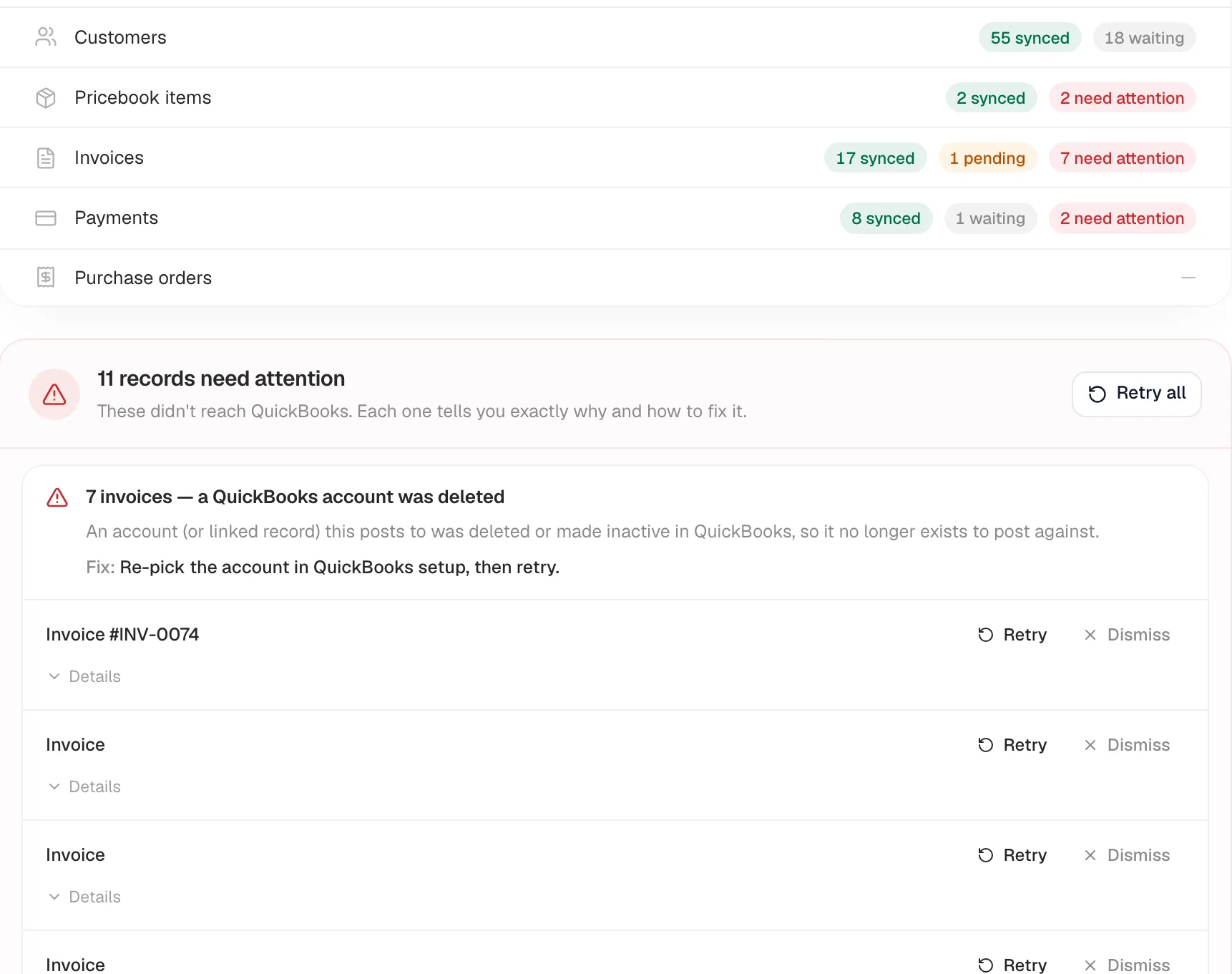
Then one row per record type — Customers, Pricebook items, Invoices, Payments, Purchase orders — with status chips:
| Chip | Meaning |
|---|---|
| synced | In QuickBooks and up to date. |
| pending | Queued to go on the next run. |
| waiting | Held back on purpose — for example a migrated customer waiting for a QuickBooks match, or a payment waiting for its invoice. Nothing is broken. |
| need attention | Something QuickBooks refused or a setting is missing. Listed below with a fix. |
Records that need attention
When anything is held back, a list appears headed "N records need attention" (or "N records on hold" when everything in it is an on-purpose hold). Records are grouped by cause, for example "7 invoices — a QuickBooks account was deleted", and each group spells out why it happened and the Fix.
On each record:
- Retry — queue it for the next sync (use it after fixing the cause).
- Dismiss — hide it from the list once you've dealt with it. Dismissing is remembered in this browser only; if the record fails again after a change, it reappears.
- Details — the exact message QuickBooks sent back, handy when you contact support.
Retry all re-queues every retryable record at once. What each message means: Resolving common QuickBooks errors.
Payment methods
The Payment methods card lists the payment types your team records (cash, check, card and any custom methods like a financing partner) and which QuickBooks payment method each one lands under. You can import the list straight from QuickBooks or create a missing method in QuickBooks from here. Details: Custom payment methods.
Sync settings & account mapping
Click Sync settings & account mapping to expand the rarely-touched settings.
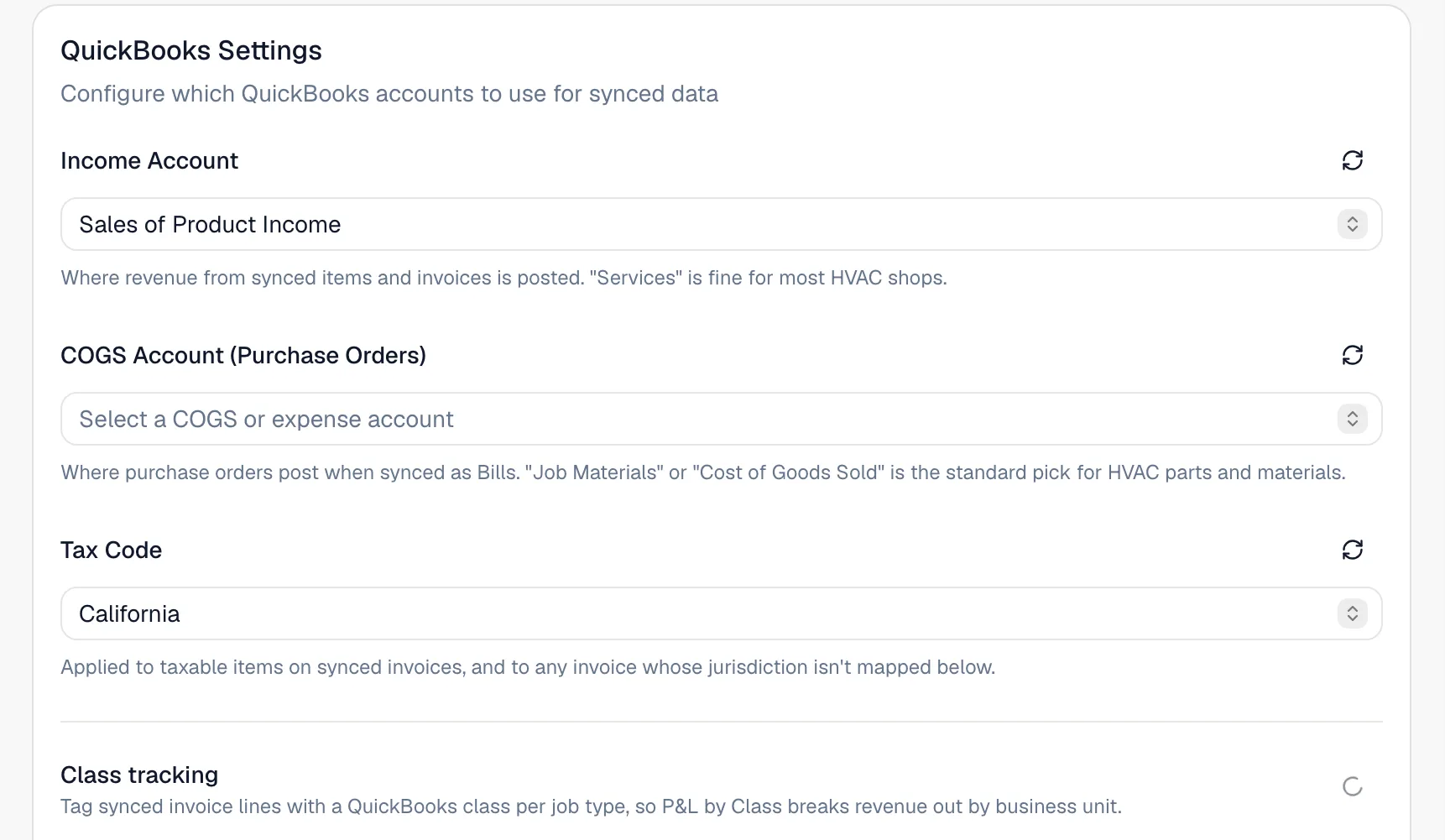
Accounts and tax (QuickBooks Settings)
| Setting | What it does |
|---|---|
| Income Account | Where revenue from synced invoices and pricebook items posts. Services is fine for most HVAC shops. |
| COGS Account (Purchase Orders) | Where purchase orders post when they sync as Bills. Job Materials or Cost of Goods Sold is the usual pick. |
| Tax Code | Used on taxed invoices, and for any invoice whose tax rate isn't mapped below. |
| Tax codes by jurisdiction | Appears when you use more than one sales-tax rate. Map each rate to its own QuickBooks tax code. See Mapping tax rates. |
| Class tracking | A class per job type, a Default class and a Membership class. See Tracking revenue by QuickBooks class. |
The refresh icon next to each picker reloads the list from QuickBooks — use it after adding an account there. Click Save Settings when done. Saving a tax code or class also re-queues invoices that were held back for that reason.
Expense Sync
Where expenses post if you turn on the Expenses toggle below. See Syncing expenses to QuickBooks.
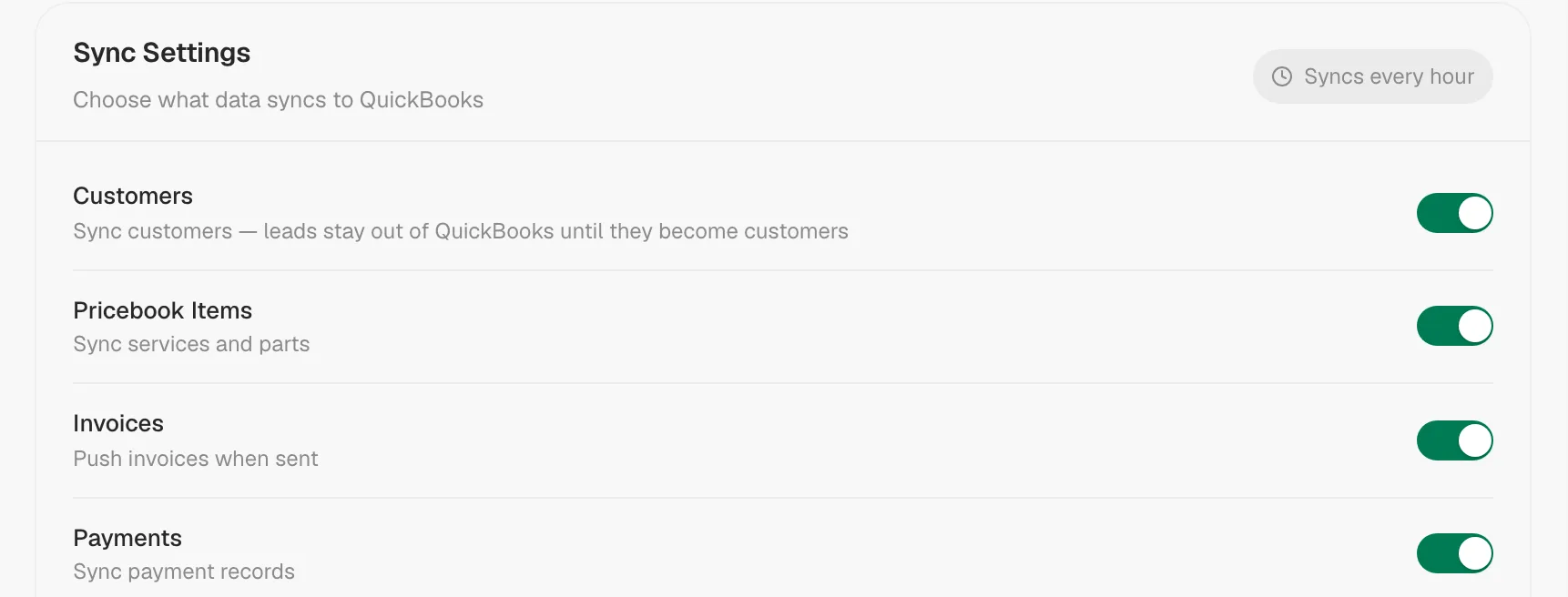
Sync Settings — what syncs
Everything syncs every hour, and most records also go over the moment they're created, sent or paid.
| Toggle | What it sends |
|---|---|
| Customers | Customers — leads stay out of QuickBooks until they become customers. |
| Pricebook Items | Services and parts. |
| Invoices | Invoices once they're sent (drafts never sync). |
| Payments | Payments, applied to their invoice. |
| Purchase Orders | Purchase orders marked Billed, as Bills. |
| Expenses | Expenses, as QuickBooks Purchases (off by default). |
| Itemize packages in QuickBooks | On: packaged invoices send their internal labor and material breakdown, splitting income across item accounts. Off: QuickBooks gets the same single package line your customer sees. Your customer's invoice is the same either way — ask your accountant which they prefer. |
Click Save Settings to apply.
Import from QuickBooks
Pulls your customers, active vendors and pricebook items, and the last 24 months of invoices and applied payments into Run a Call. It's safe to re-run — anything already imported is skipped. Hidden if your data was migrated from another system. See Connecting your QuickBooks Online account.
Sync Status and Sync Log
Sync Status shows totals per record type with a Refresh button and, when anything failed, Retry All. The Sync Log lists every attempt — Time, Entity, Operation, Direction, Status, Duration and Error — and can be filtered by record type and by Success, Failed or Skipped. A Skipped row is normal for records that were intentionally not sent (for example invoices migrated from your old system, which QuickBooks already has).
Good to know
- Sync runs one way, Run a Call → QuickBooks. Changes made in QuickBooks don't come back.
- Hourly sync paused? A banner reads "Hourly sync is paused — review, then turn it on". This happens after a QuickBooks history import so you can review first. Click Looks good — turn on hourly sync.
- Where else you'll see sync status: customer profiles and invoices show In QuickBooks, Syncing to QuickBooks, or QuickBooks sync issue (hover it for the reason; click it to jump here).