
A lead is someone who has shown interest but hasn't bought yet. In Run a Call a lead isn't a separate record — it's a contact whose status is Lead (or Prospect or Quoted as they move along). When they buy, the same record becomes a Customer, with every call, text and note still attached. See Understanding contacts: leads and customers.
Leads that are created for you
Most leads show up on their own:
| Where it comes from | What you get |
|---|---|
| Your online booking page | A Lead with source Website, their address added as a property, and their request pinned as a note. Owners, admins and dispatchers get a notification. If the phone number already belongs to a contact, the request is added to that contact instead. See Handling online booking requests. |
| The AI Receptionist | When a new caller gives their name, a Lead with source Phone and the service address they mentioned in the notes. |
| A text from an unknown number | A Lead named with the phone number, so the conversation has a home. Rename it when you learn who it is. |
| A missed call that gets an automatic text back | Same as above — a Lead named with the phone number. |
| A text you send to a new number | A Lead named with the phone number. |
Adding a lead yourself
For a walk-in, a referral someone passed you, or a caller you want to follow up with later:
- Click Contacts in the sidebar, then New customer.
- Enter First name and Last name (both required), plus a Phone and/or Email so you can reach them.
- Under Customer details, set How did they find you? — see Tracking lead sources.
- Change Status from Customer (active) to Lead — or Prospect if you've already qualified them.
- Add the address if you have it. It's optional for a lead.
- Click Save customer.
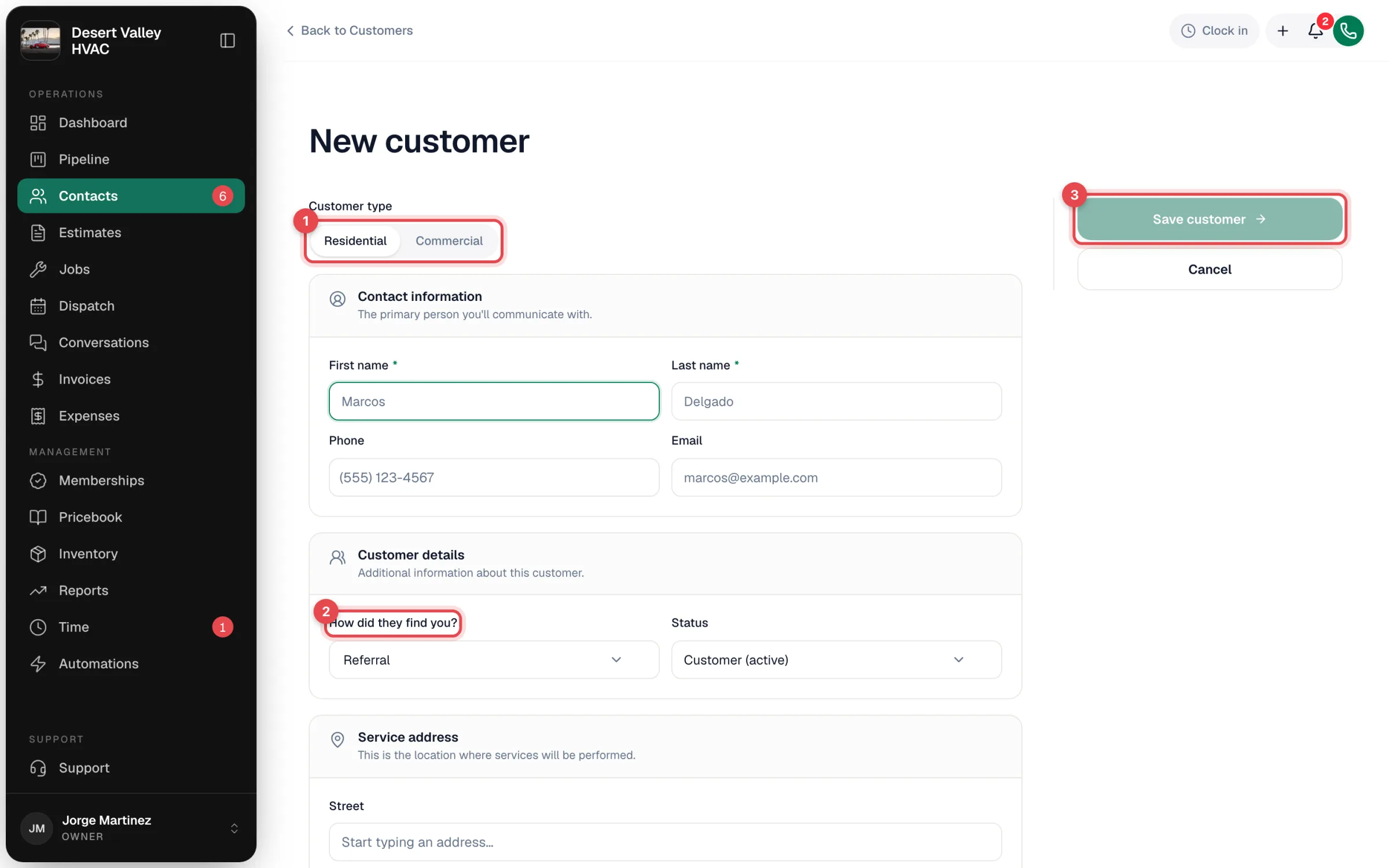
The Status field defaults to Customer (active). If you're adding someone who hasn't bought yet, change it to Lead — otherwise they won't show in the Lead column of your pipeline.
Where leads show up
- Pipeline → Contacts — in the Lead column (or whichever column your owner set up for new leads). See Working the Contacts board.
- Contacts — set the Lead status filter to Lead.
What happens next
Leads move along on their own as you work them:
- Create an estimate for them → they become Quoted.
- Book them a job, or they approve an estimate → they become Customer.
You can also move them by hand on the Contacts board. See Converting a lead to a customer.