
Purchase orders are how stock goes back up. When a purchase order's status becomes Received, every tracked part on it is added to your count and its average cost is updated with what you paid.
Receive a purchase order
- Go to Expenses in the sidebar and open the Purchase Orders tab.
- Click the purchase order.
- Set Status to Received (and the Received date if you like).
- Click Save changes.
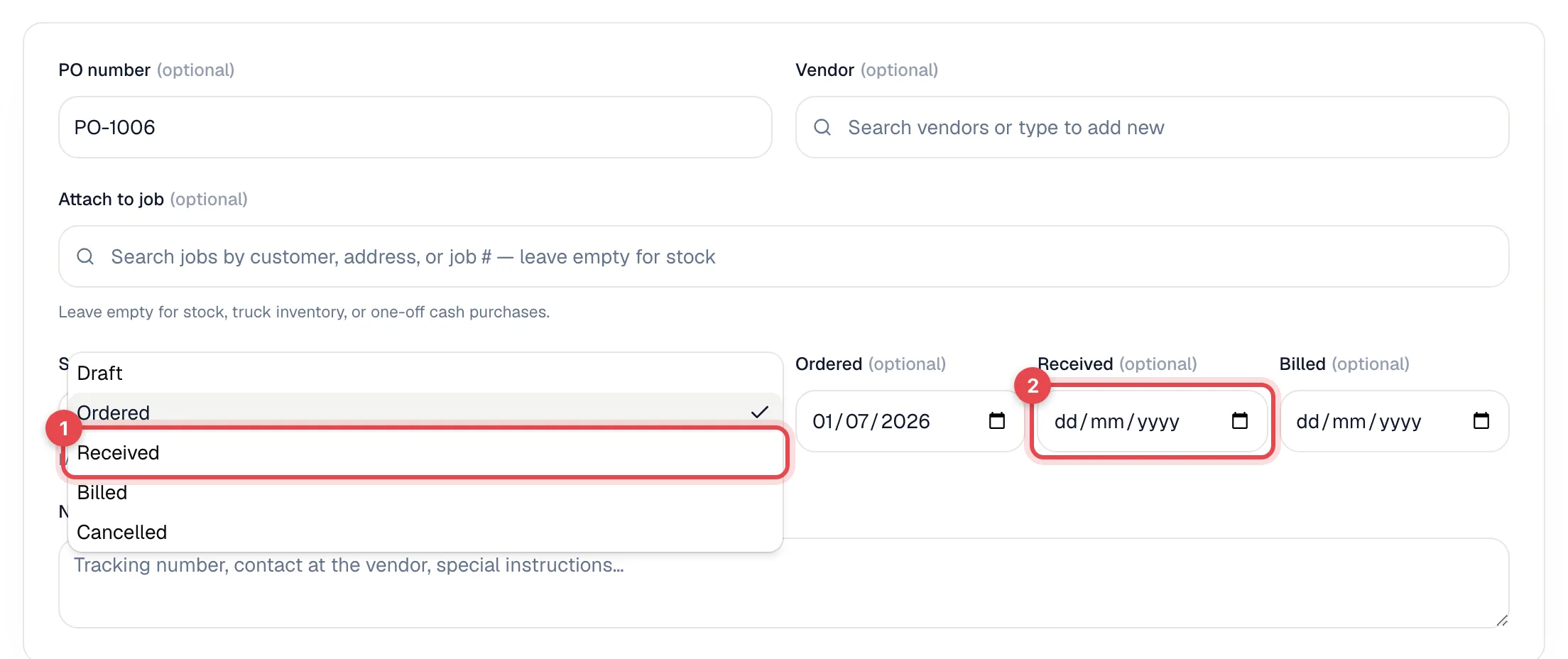
Each line that's a pricebook Part with tracking on is added to stock at its quantity. Lines that are custom, services, labor or equipment are recorded on the purchase order but don't change inventory.
You can also create a purchase order with the status already set to Received, for example after a counter run; stock goes up when you create it.
Receive to a truck or warehouse
If you have more than one stock location, the form shows Receive to: Where the parts are counted when this PO is marked Received. It starts on your default location; pick a truck to count the parts straight onto it. Once the purchase order is Received, the form shows Received to: and the location, and it can't be changed; use a transfer to move the parts afterwards. See Track stock per truck.
<!-- shot: Purchase order form with the Receive to select set to a truck -->Stock is added only when the status becomes Received. If you move a purchase order from Ordered straight to Billed, nothing is added to inventory. Mark it Received first, then Billed.
Each purchase order counts once
The whole purchase order is received in one step, and it only ever adds stock once. Changing the status away from Received and back again doesn't add the parts a second time, and moving it out of Received doesn't take them back off.
If a delivery arrives short or damaged, receive the purchase order, then record an adjustment for the difference (reason Miscount, Damaged or Other with a note such as PO-1042 short 3 capacitors). See Making a manual stock adjustment.
How average cost is updated
Average cost blends what you already had with what just arrived:
- You have 4 capacitors at an average of $12.00 ($48.00 on hand).
- You receive 10 at $10.00 each ($100.00).
- Now you have 14 worth $148.00, so the average cost is $10.57.
If the part was at zero or below when the delivery arrived, its average cost becomes the price on this purchase order.
Where you see it
On the Inventory page, click the part. The receipt is listed under Activity as Received, linked to the purchase order, with the quantity, unit cost and the location it was received to.