
Use an adjustment when the count on screen doesn't match the shelf: your first count, a recount, a damaged or lost part, a warranty return, or parts that came back from a cancelled job. Every adjustment is logged with a reason and who made it.
Who can do this: owners, admins and dispatchers.
Open the part
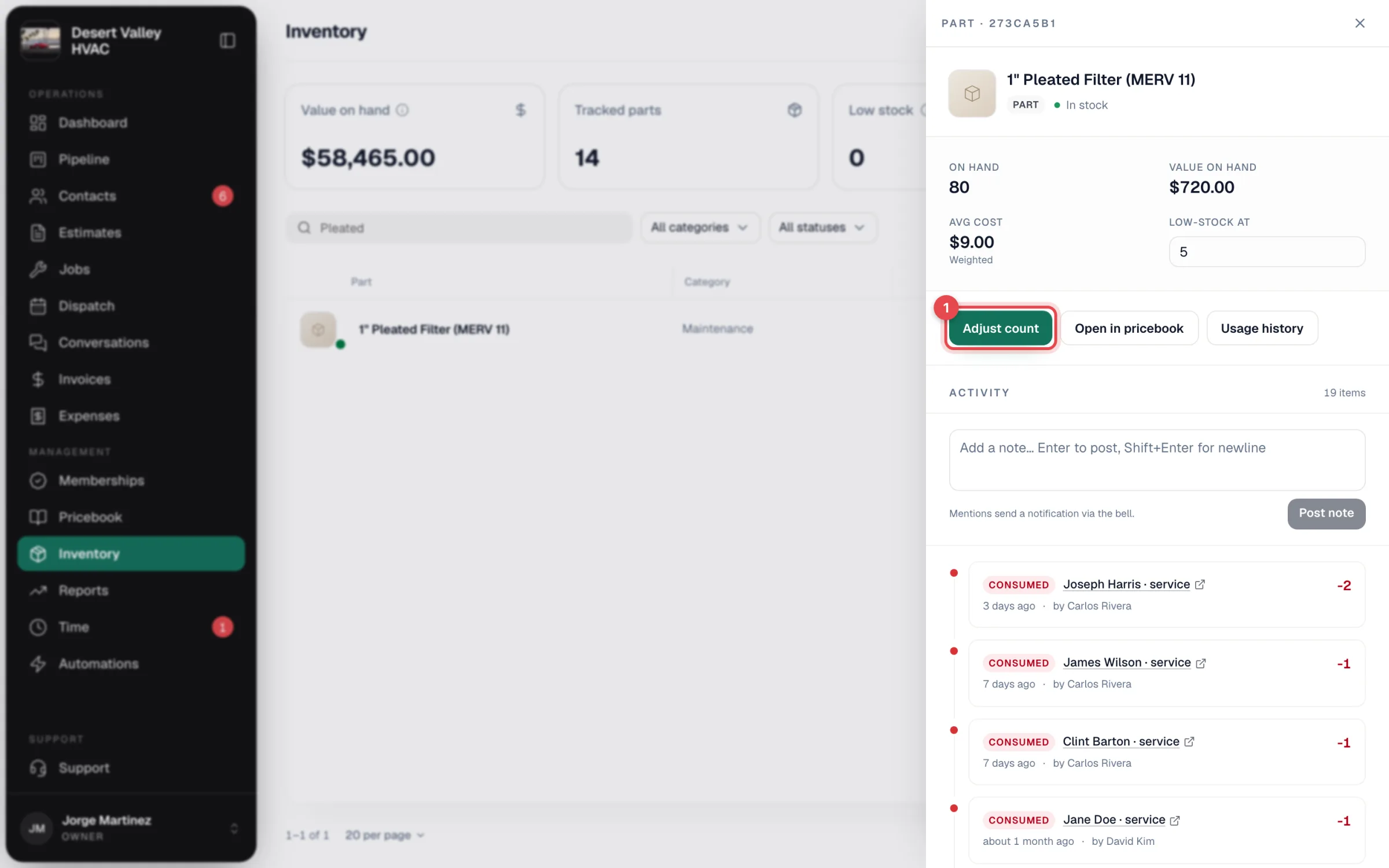
Go to Inventory, find the part (search or filter) and click it. The part panel opens.
Click Adjust count
Enter the change
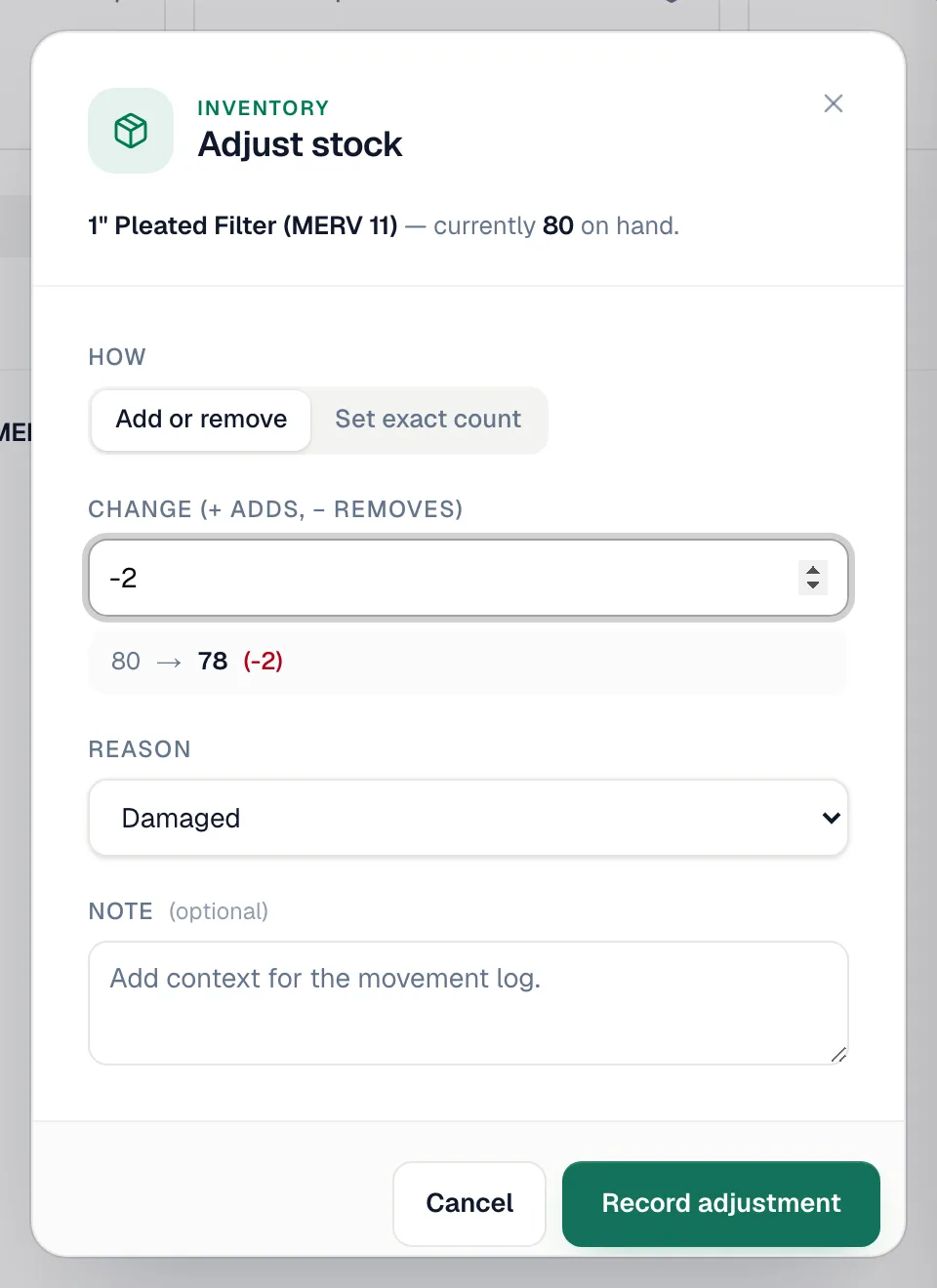
The Adjust stock window shows how many are currently on hand. If you have more than one stock location, pick the truck or warehouse under Location first; the window then shows the count at that location, and the adjustment applies there only. Under How, pick one:
| Option | Use it when | Example |
|---|---|---|
| Add or remove | You know how many to add or take away. | Type -2 to remove two, 5 to add five. |
| Set exact count | You just counted the shelf. | Type 78; Run a Call works out the difference. With more than one location the field reads New count at Truck 3, and it sets the count at that location, not your total. |
The preview under the box shows the result, for example 80 → 78 (−2).
Pick a reason and save
| Reason | When to use it |
|---|---|
| Damaged | Broken in transit, on the truck or on the job. |
| Lost | Can't be found. |
| Miscount | A count doesn't match, including your first count. |
| Warranty return | Sent back to the supplier under warranty. |
| Job cancelled — parts returned to stock | Parts came off stock for a job that was then cancelled. |
| Other | Anything else. A Note is required. |
Add a Note if it helps (optional for every reason except Other), then click Record adjustment. You'll see Adjustment recorded.
Where it shows
The part's Activity lists the adjustment as Adjusted, with the change, reason, note and who recorded it. The count, status and summary cards update right away.
Good to know
- Adjustments change the count, not the cost. Average cost stays the same, so writing off 5 capacitors at $10.00 average lowers your value on hand by $50.00. Only received purchase orders change average cost.
- Nothing is edited after the fact. If you get an adjustment wrong, record another one to correct it.
- One part at a time. There's no bulk adjustment for many parts at once.
- Moving stock isn't an adjustment. To shift parts from the warehouse to a truck, use Transfer instead so your total stays the same. See Track stock per truck.
- Starting out? Use Set exact count with the reason Miscount for each part after your first physical count.