
When an estimate has a payment schedule, each milestone bills as its own invoice — its own number, due date, pay link, and receipt. This article covers generating those invoices, collecting them, and what happens when everything's paid.
Where the schedule lives
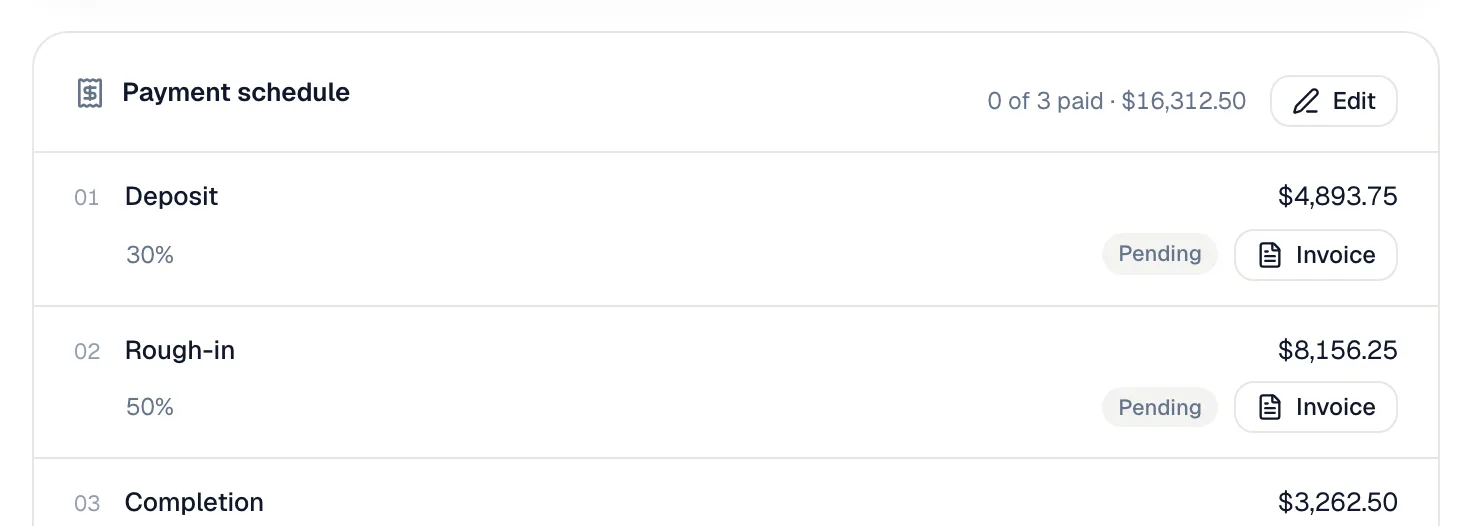
Once the estimate is approved, a Payment schedule card appears on the estimate, on the job and on every milestone invoice. The header shows how many milestones are paid (for example 0 of 3 paid) and the project total. Each row shows the milestone, its share, its exact amount and its status:
| Status | Meaning |
|---|---|
| Pending | Not invoiced yet. |
| Invoiced | Invoice exists, not fully paid — the due date shows on the row. |
| Paid | The milestone's invoice is paid in full. |
Generating a milestone invoice
- On the schedule card, click Invoice on a pending milestone.
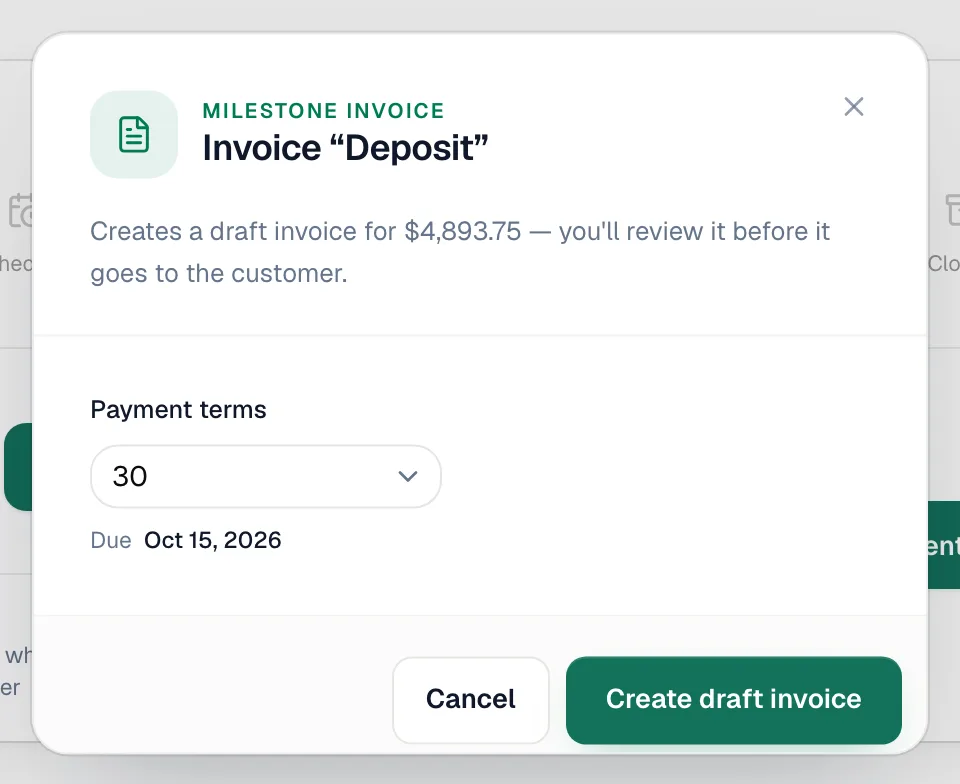
- In the Invoice "[milestone]" window, pick the Payment terms: Due on receipt, Net 7, 14, 30, 45, 60 or 90, or Custom… for any number of days. The due date shows underneath.
- Click Create draft invoice. You land on the draft, where you review it and click Send invoice.
Milestones don't have to be invoiced in order — invoice completion before rough-in if that's how the job went. Techs can do the same from the field app. The job's Payment plan card has an Invoice button on each pending milestone (confirm with Create invoice) and a Collect button once it's invoiced.
The deposit (first milestone) usually doesn't need this: it's created automatically, due on receipt, when the estimate is approved or converted to a job. If it's still Pending, invoice it here like any other milestone. See Adding a payment schedule.
What a milestone invoice looks like
It has one line, for example "Progress payment — Rough-in (50% of $6,866.47) — Estimate EST-0036", with the milestone's exact share of the total and of the tax. You can't change the line or its amount, because it comes from the plan. To change an amount, edit the payment schedule on the estimate. You can still edit the notes.
Under the line, the invoice says what the payment is for:
- Which payment it is and the option the customer approved, for example Payment 2 of 3 toward: Complete System Replacement.
- The option's description, as written on the estimate.
- An Includes: list of the option's items, with quantities and no prices. The prices stay out because the milestone amount already covers them.
The customer sees the same text on the invoice email, the PDF and the pay page.
When the plan is a single payment for the whole job, the line is named after the approved option instead, for example "Bronze — Estimate EST-0074", with the description and the Includes: list under it. The amount is the same either way.
The PDF carries the context: a "Payment 2 of 3" row, plus the project total, paid to date, and remaining balance — so a customer holding one invoice always knows where it sits in the plan.
The job closes itself
Partial payments are fine along the way. The job changes to Closed automatically once every milestone invoice is fully paid, so a job is never left sitting at Invoiced.
Voiding a milestone invoice puts that milestone back to Pending. Invoice it again whenever you're ready; the amount stays the same. Only owners and admins can void.
Billing extra work outside the plan
Did the tech find a surprise and add line items to the job? On the job, under the schedule card, click Invoice extras (Extra work outside the plan? Bill it on its own invoice — the milestones stay untouched.). The Bill extra work outside the plan window creates a separate draft with only the lines added after the estimate was approved. The work the plan already covers is left out automatically. The Preview in the window counts only those extra lines, so the total you see is the total the invoice will have. Check it, then click Generate invoice. If nothing has been added, the window reads Nothing to bill and there's nothing to invoice.
Run a Call doesn't add anything to the notes of an extras invoice. Only what your office types there shows to the customer.
Techs can bill extra work from the phone too: the job's Payment plan card has an Extra work block with Invoice the extra work. See Closing jobs from the mobile app.