
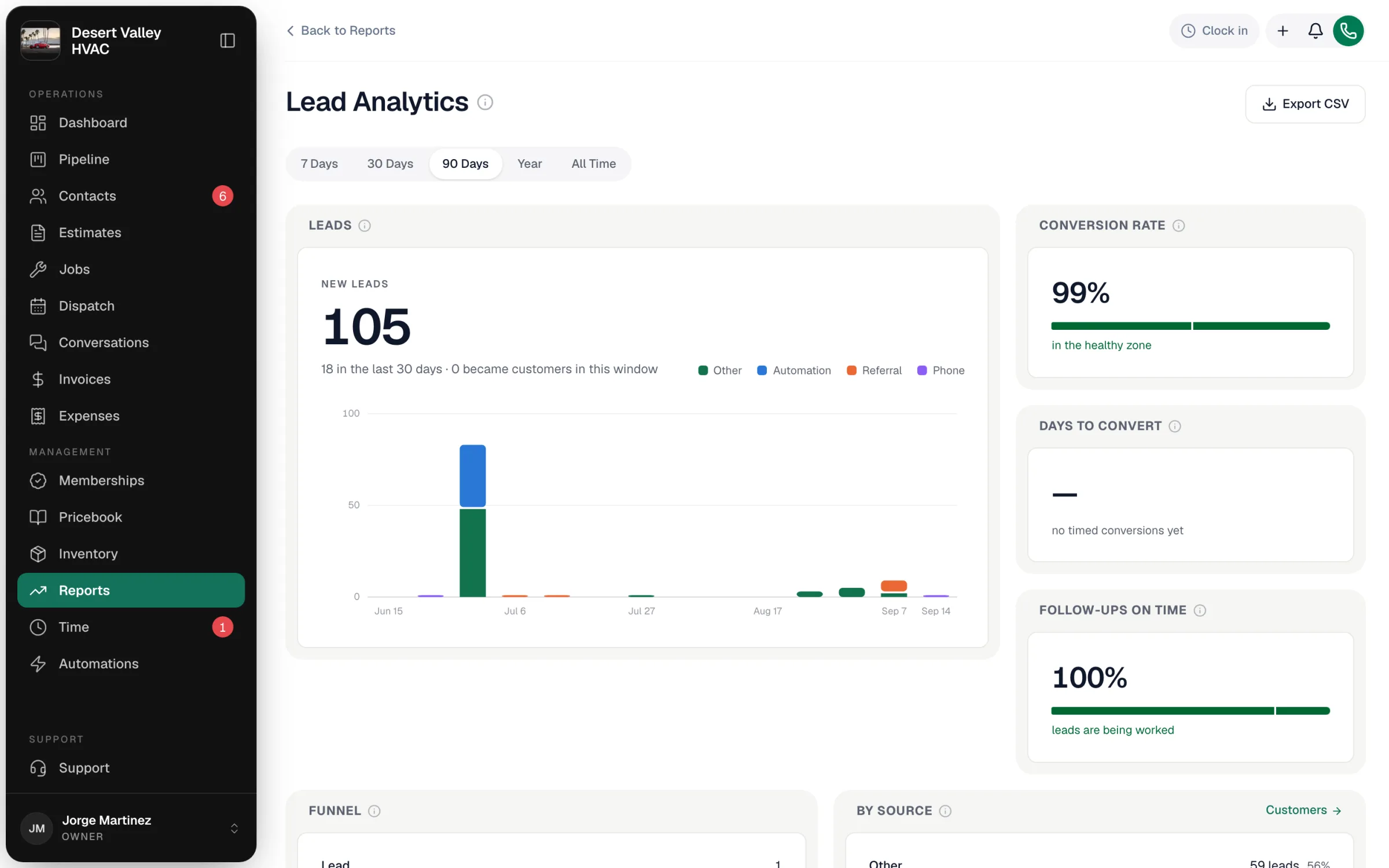
Lead Analytics shows where your contacts come from and how many become paying customers — so you can see which source feeds the business and which one is quietly drying up.
Open it from Reports → Sales & marketing → Lead Analytics. Owners and admins can see it.
Pick a window
Use 7 Days, 30 Days, 90 Days, Year or All Time. The report counts every contact created in that window.
Read the tiles
| Tile | What it shows |
|---|---|
| Leads | New leads — every contact record created in the window — with how many were added in the last 30 days, and a chart of new leads per period split by source. |
| Conversion rate | The share of those contacts that are now customers, against a 30% target. |
| Days to convert | Average days from adding a contact to them becoming a customer. Only contacts with a recorded conversion date count; otherwise it shows no timed conversions yet. |
| Follow-ups on time | Of the non-customer contacts that have a follow-up date, the share whose last contact happened on or before that date. Above 80% is healthy; below 50% means leads are slipping. |
| Funnel | Where those contacts stand today: Lead, Prospect, Quoted, Customer. The drop between stages shows where leads get stuck. |
| By source | Which channels bring contacts in, and how many of each became customers. |
| Conversion by source | Each source's conversion rate against the target. Sources with only one contact are left out, so a single customer doesn't read as 100%. |
How "source" and "converted" are decided
- Source is the lead source on the contact (for example Referral, Phone, a campaign, or anything your team picks). Contacts without one show as Other. See Tracking lead sources.
- A contact counts as converted when its status is Customer or it has a recorded conversion date.
Note
Every contact created in the window is counted — including people added straight in as customers. If your team often creates customers directly (or you imported a customer list), the conversion rate will read high. Use By source and Funnel to see real lead movement.
Export
Export CSV downloads the headline numbers, the funnel, the by-source table, and leads per period by source.