
Not every job gets a time on the first call. Book it as unscheduled and it waits in the unassigned queue at the bottom of the dispatch board until you're ready to give it a date and a technician.
When to use it
- The customer wants service soon, but you need to check the schedule or call them back with a time.
- You're waiting on a part before the visit can be booked.
- A tech flagged follow-up work that still needs planning.
Create an unscheduled job
Start a new job
Go to Jobs and click New job.
Fill in the customer and problem
Pick the customer, confirm the property and describe the problem as usual.
Leave When on Unscheduled
Under Schedule, When starts on Unscheduled. Leave it there and don't pick a date. (You can't assign a technician without a date.)
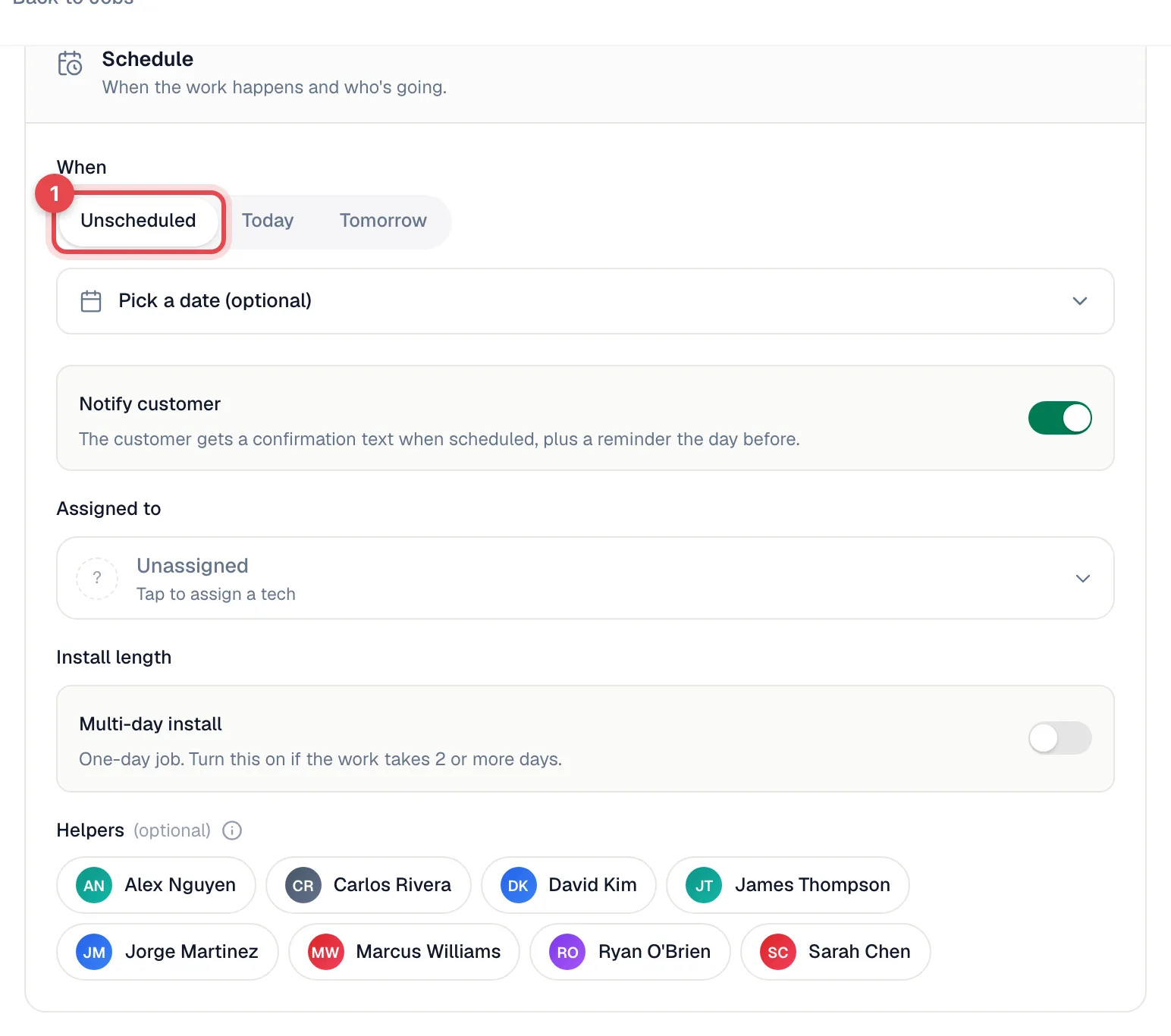
Click Create job
The job is saved with the status Created.
Where unscheduled jobs show up
| Place | How to find them |
|---|---|
| Dispatch board | The unassigned queue at the bottom of the board, under the All tab. See Working the unassigned queue. |
| Jobs list | Filter Status: Created. |
| Job page | The status card reads Schedule to start, with a Schedule & assign button. |
The queue also holds jobs that have a date but no technician yet, and follow-up jobs created from other jobs.
Schedule it later
Pick whichever is handiest:
- On the dispatch board, drag the job from the queue onto a technician's row at the time you want, or use the Assign… dropdown on its row.
- On the job page, click Schedule & assign, pick the Date, Start, End and Technician, and click Schedule & assign.
The job moves to Scheduled. If Notify customer is on, the customer's booking confirmation goes out about 5 minutes later.
Put a scheduled job back in the queue
On the job page, click Reschedule, then Clear. The date and technician are removed and the job goes back to Created. On the dispatch board, you can also drag a job off a technician's row and onto the queue.
Good to know
- Multi-day installs can be saved without a start date too — they wait in the queue with a pick date badge. See Planning multi-day jobs.
- The queue shows the 50 most recent unassigned jobs. Older ones are still on the Jobs list.
- Keep the queue short. Look at the Waiting column on the dispatch board to spot jobs that have been sitting for days.