
When a customer calls and asks "when were you last out here?" or "what did you do on the furnace?", the answer is on their profile. The Timeline tells the whole story in one list; the Jobs, Estimates and Invoices tabs give you each record type on its own.
Open the customer
Click Contacts in the sidebar and click the customer's name (or search for them from the top bar). The profile opens on the Timeline tab.
Read the Timeline
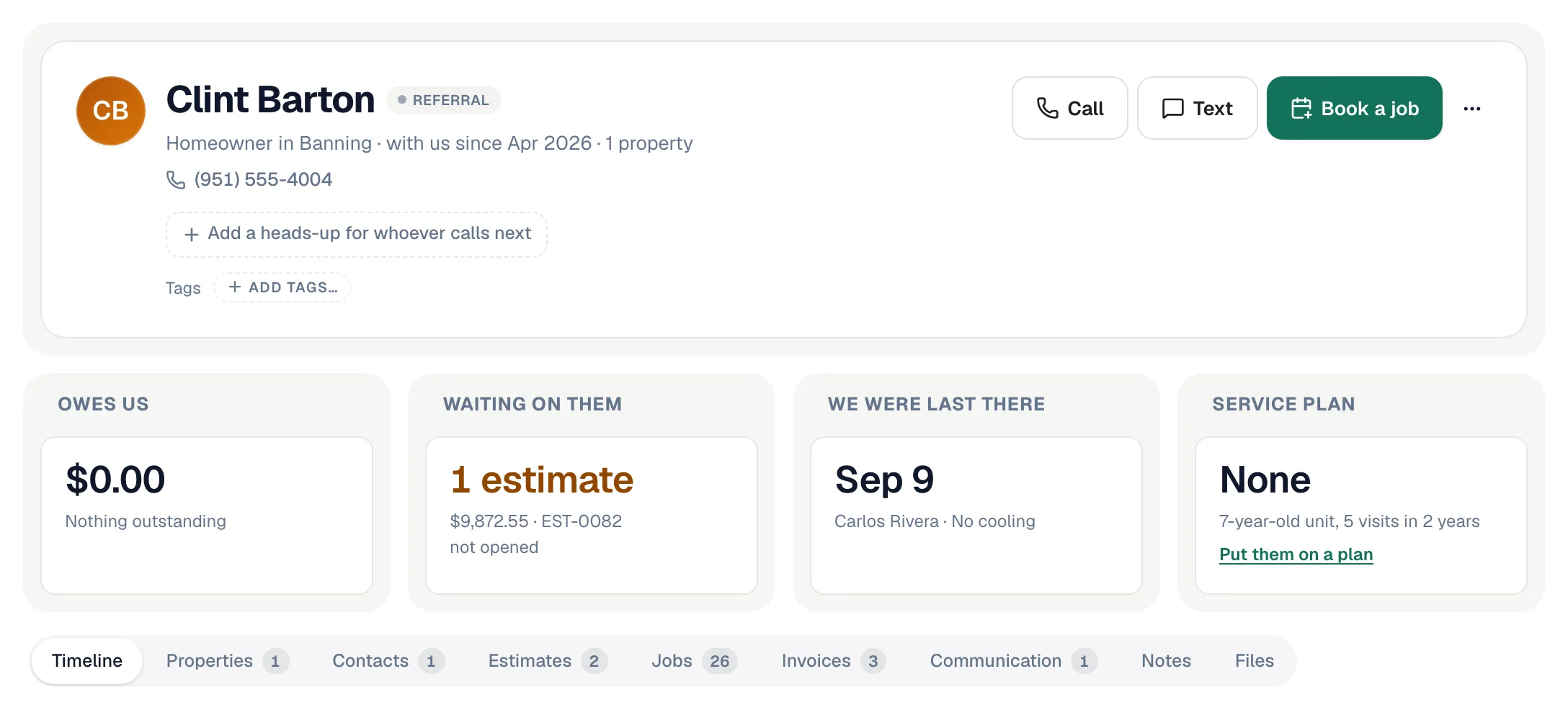
The Timeline has two parts:
- Open right now — work still in motion: jobs that are booked and estimates the customer hasn't answered yet.
- What we've done — everything that has happened with this customer, newest first, in plain sentences: jobs, estimates, invoices, phone calls, texts and notes. Each row shows the date, what happened, who handled it (for example Call · answered by Mike) and the amount where there is one. Click a row to open the job, estimate or invoice.
Reminders and other automatic texts are folded into a single N automated texts row so they don't bury the real conversation. Click the row to expand it, or switch off Hide automated texts to see every text in line.
Long histories load in pages — click Load earlier activity at the bottom to go further back.
Look at one kind of record
Use the tabs to narrow down:
| Tab | What each row shows |
|---|---|
| Jobs | Job type, status, the problem the customer reported, and the job number. |
| Estimates | Estimate number, status (for example sent, viewed, approved), number of options, valid-until date, and amount. |
| Invoices | Invoice number, status, due date and amount. |
| Communication | Calls and texts as one conversation. You can reply by text right from this tab. |
Each tab shows the 20 most recent records. When there are more, the tab says Showing the 20 most recent of … — click View all to open the full Jobs, Estimates or Invoices list already filtered to this customer.
Service history for one piece of equipment
To see every visit on one unit — "everything we've done on the upstairs AC":
- Open the customer's Properties tab.
- Find the unit under Equipment at this address.
- Click History next to it.
See Viewing a unit's page and history.
Good to know
- Cancelled jobs stay in the history. They show with their status so you can see what didn't happen as well as what did.
- One address or many? The Properties tab shows Last visit and what's Open here for each address separately — handy for landlords and customers with more than one home.