
When nobody picks up, the call still lands somewhere you'll see it. Missed calls and voicemails show up in Conversations → Calls, and your office team gets an alert in the app's bell and as a push notification. Voicemails aren't forwarded by email.
Where to find them
Open Conversations and stay on Calls. The tiles at the top count recent calls. Click Missed or Voicemail to show only those calls.
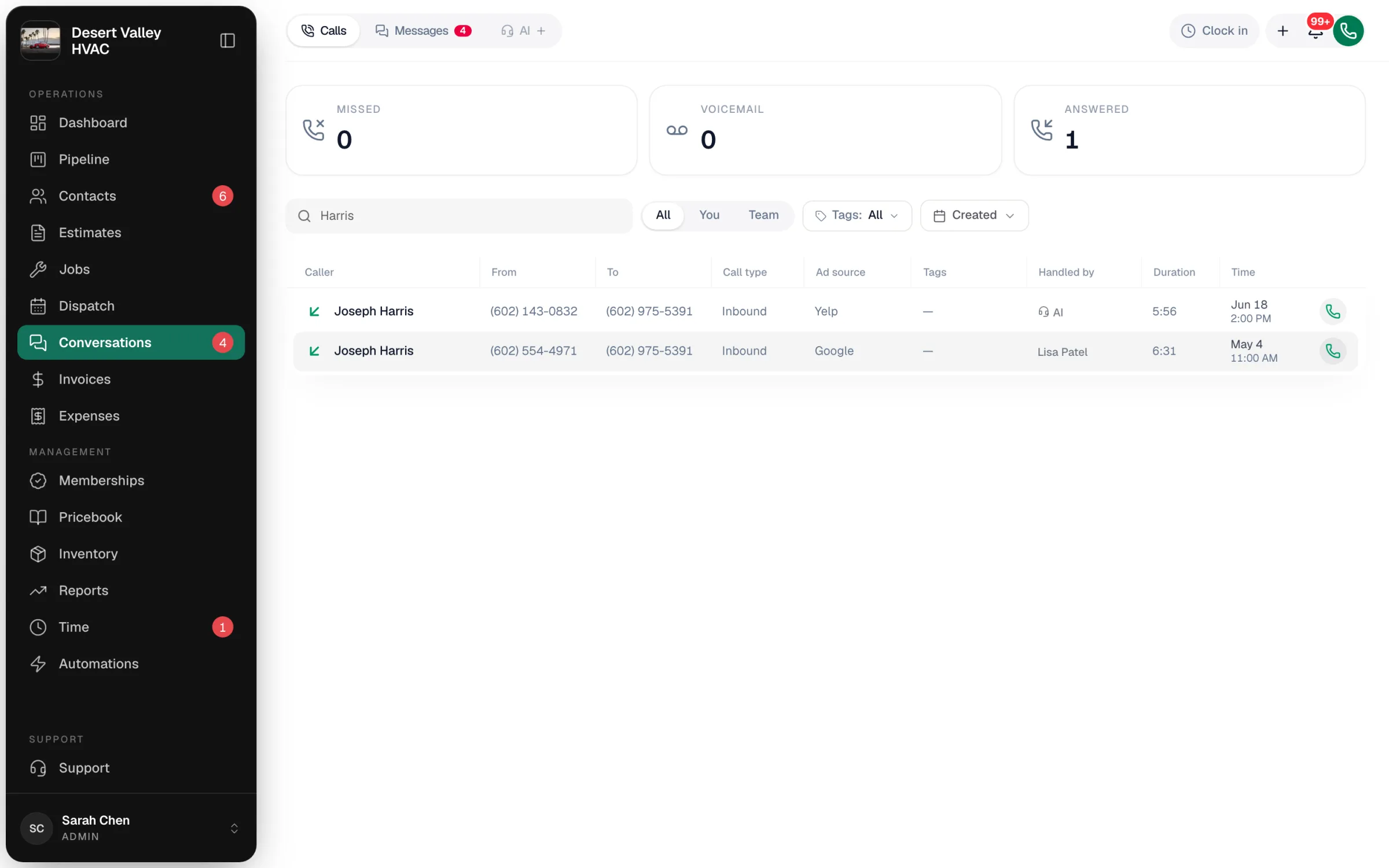
| Call type | What happened |
|---|---|
| Missed | The call rang and nobody answered: no teammate, not the AI receptionist, not an outside number your call flow tried. |
| Voicemail | The caller left a message. |
| Inbound with AI under Handled by | The AI receptionist took the call. See Reviewing AI call transcripts. |
Use Search name or number to find a specific caller, and Created to pick a date range.
Listening to a voicemail
Click the call. The Conversation section plays the message and shows the transcript, and Call details shows who called and which of your lines they dialed.
| Button | What it does |
|---|---|
| Call | Calls them back from your business number. |
| Text | Opens their text thread (known customers). |
| Save & text | For a caller who isn't in Contacts: add them, then text them. |
| Block number | Rejects future calls from this number. See Spam filtering and blocked numbers. |
You can also add tags to the call so it's easy to find later.
Alerts
Owners, admins and staff get two phone alerts, in the bell at the top of the app and as a push notification on devices where they've allowed notifications:
| Alert | When it arrives |
|---|---|
| New voicemail from… | As soon as the voicemail is saved. Tap it to open the call. |
| Missed call from… | About 10 minutes after the call ends, only if the caller didn't leave a voicemail and didn't call back and get through. |
Turn your own alerts on or off
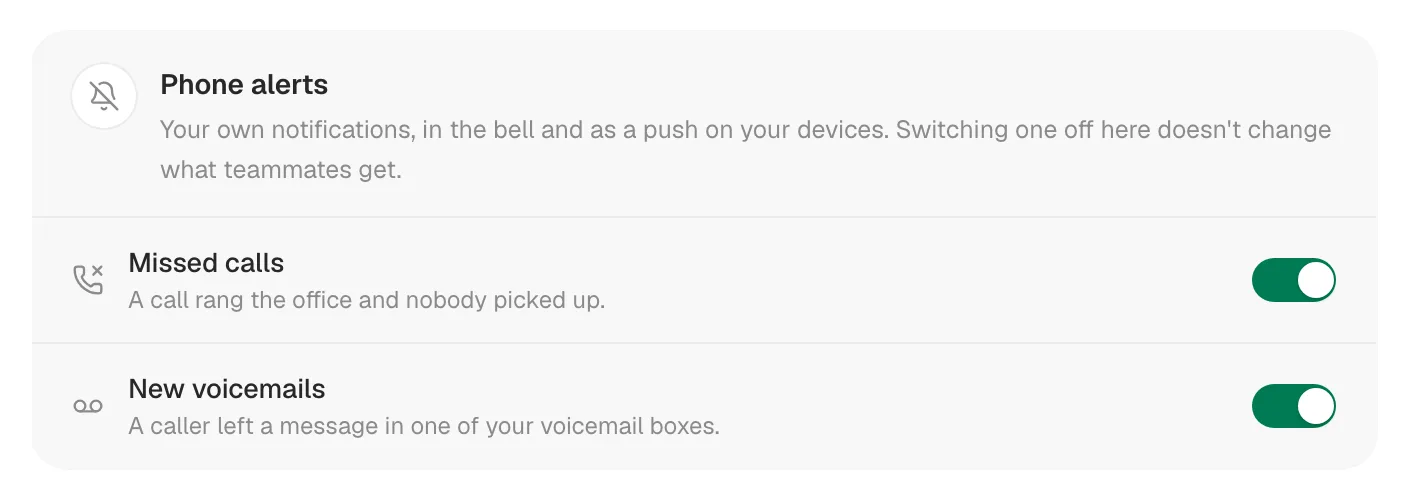
Each person decides for themselves. Switching off only affects you, not your teammates.
- Owners and admins: Settings → Phone → Voice → Phone alerts.
- Staff: Settings → Profile → Phone alerts.
Switch Missed calls or New voicemails off or on. It saves right away.
Changing what callers hear
- Voicemail greeting and message length: open your call flow on Settings → Phone → Flows, click the Voicemail step, and edit Greeting before the beep and Maximum message length (30 seconds to 3 minutes). You can type the greeting or use your own recording. See Call flows.
- When calls go to voicemail instead of the AI receptionist: Settings → Phone → Voice → Call routing lets you choose Voicemail or AI receptionist for After hours and Nobody answers.
Text missed callers back automatically
You can have Run a Call text a caller a couple of minutes after a missed call, for example "Sorry we missed you, how can we help?". Build it in Automations with the When a call is missed trigger. See Auto follow-ups after a missed call.
Good to know
- No email or text alerts for voicemails. Alerts are in-app and push only. Install the app and allow notifications so you get them on your phone. See Installing the Run a Call app on iPhone & iPad.
- Voicemails are transcribed automatically as long as Auto-transcribe calls is on (it is by default).