
Three fields on the equipment form make busy sites easier to work: Asset ID (your own tag for the unit), Location (where it sits), and Type, which can include types you add yourself.
Asset IDs
The Asset ID is your on-site tag or unit number, such as EVAP-A-12 or RTU-3, whatever is written on the sticker your techs actually read. It's separate from the manufacturer's serial number.
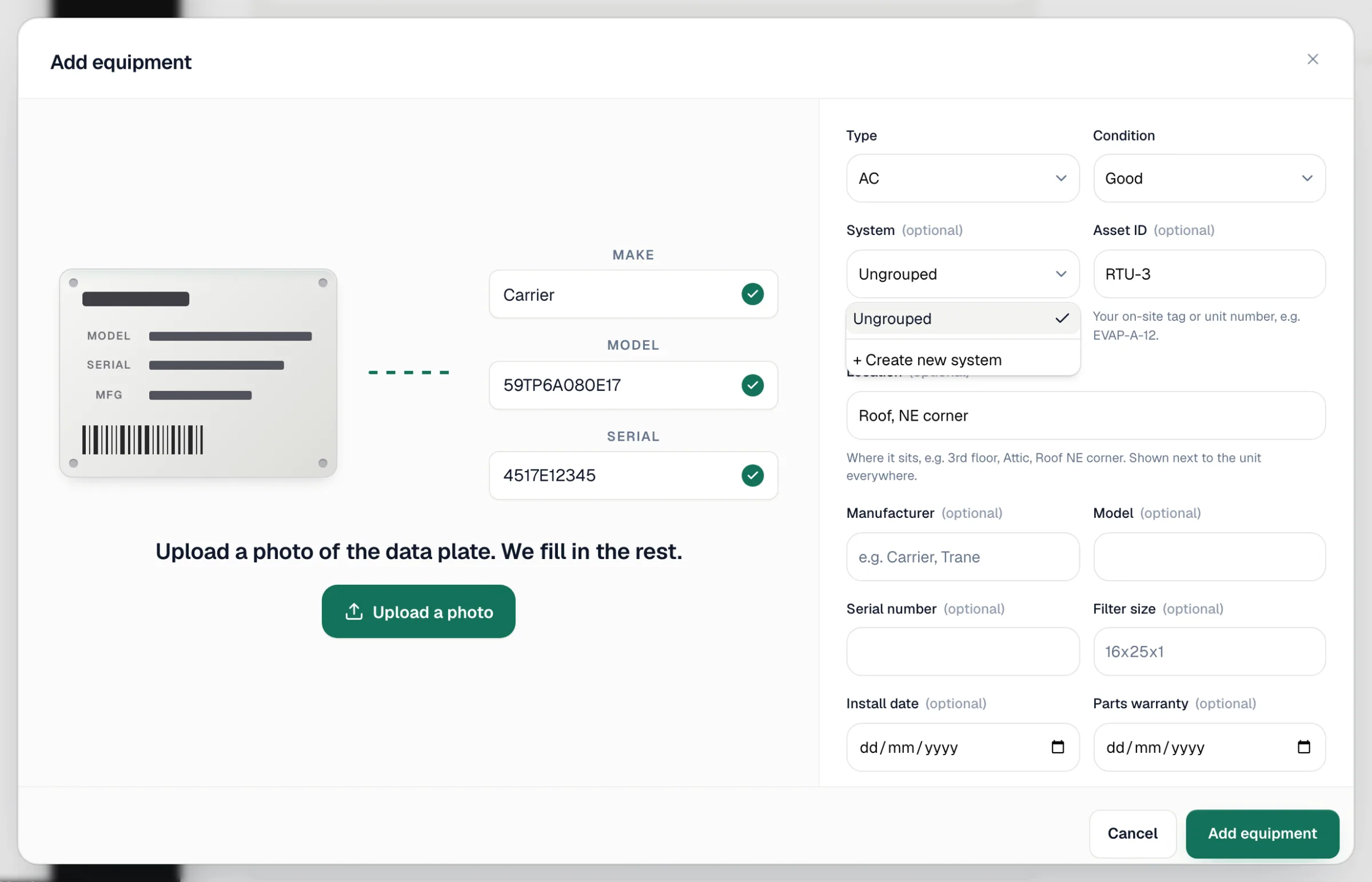
- It's optional. Most homes don't need one.
- It's typed in capital letters automatically, so
rtu-3becomesRTU-3. - It must be unique at an address. If another unit at the same address already uses it, saving shows That asset ID is already used on this property.
- When a unit has an asset ID, it's the name you see for that unit on its page, in the line-item Assign to a unit picker, on the system roster, and at the top of the printed history.
- You can search by it on the Equipment Cost Analysis report with Search by → ID / Serial.
Use the labels already on site. If the customer's coolers are stenciled C-1 to C-70, use those, and the printed history you hand them will use the same names.
Location
Location says where the unit sits, e.g. 3rd floor, Attic or Roof NE corner. It shows on the unit's Overview tab and next to the unit's name in the line-item picker, so a tech can tell two identical units apart.
Equipment types
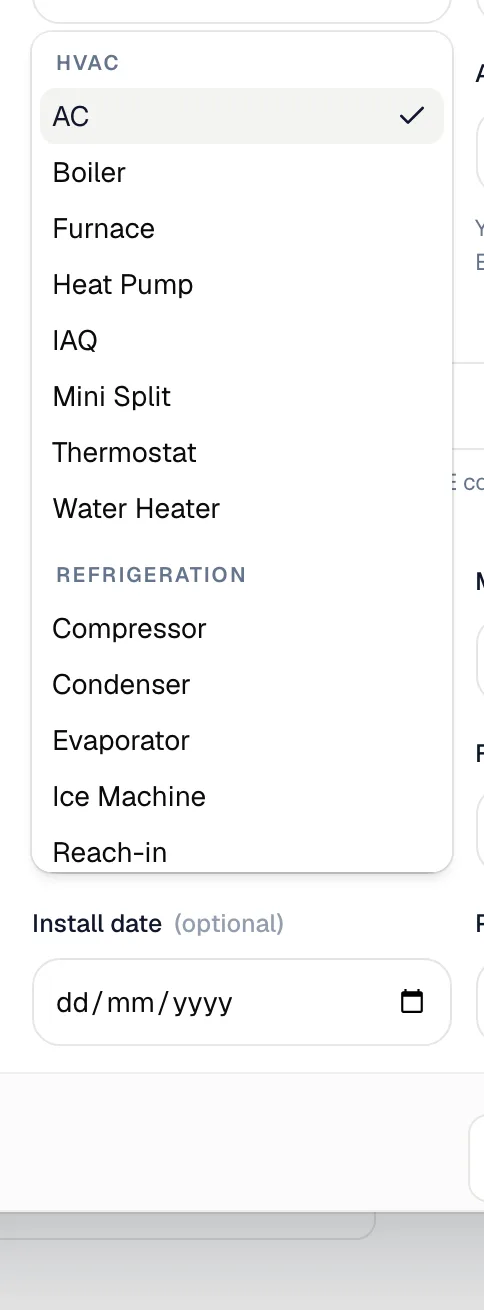
The Type dropdown is grouped by category:
| Group | Types |
|---|---|
| HVAC | AC, Boiler, Furnace, Heat Pump, IAQ, Mini Split, Thermostat, Water Heater |
| Refrigeration | Compressor, Condenser, Evaporator, Ice Machine, Reach-in, Rooftop Refrigeration, Walk-in Cooler, Walk-in Freezer |
| Plumbing, Electrical, Other | Appear once you add custom types in those categories |
Custom types show up under the category you give them, sorted alphabetically with the built-in types.
Adding a custom type
For equipment that isn't on the list, like a blast chiller, glycol loop or pool heater:
- Open the Type dropdown on the equipment form.
- Scroll to the bottom and choose + Add custom type.
- Fill in the dialog and click Add type.
| Field | What it does |
|---|---|
| Label | The name, e.g. Blast Chiller. Each label can only exist once. |
| Category | Refrigeration, HVAC, Plumbing, Electrical or Other. Sets the group the type appears under and how it's grouped in reports. |
| Uses refrigerant | Units of this type track refrigerant by default. It's turned on automatically when you choose Refrigeration. |
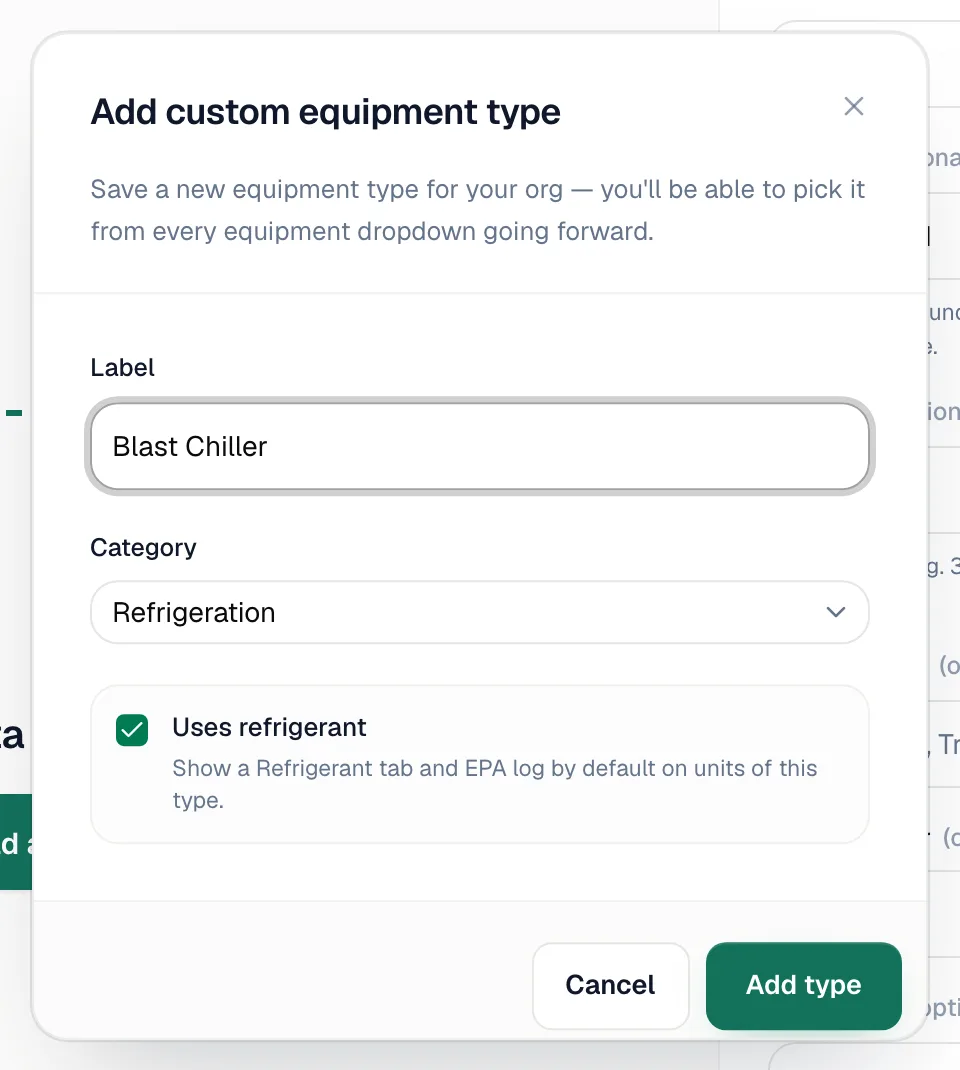
Custom types are saved for your whole company. Add Blast Chiller once and it's in every equipment dropdown from then on, in the office and the field app.
Refrigerant tracking per unit
The form has a Track refrigerant on this unit checkbox. Its default comes from the type: an AC or walk-in cooler tracks refrigerant, while a furnace doesn't. You can change it for a single unit. When it's on, the unit gets a Refrigerant tab with its EPA Section 608 log, and those entries feed the Refrigerant compliance report.
The checkbox doesn't appear for built-in types that never hold refrigerant: Furnace, Boiler, Water Heater, Thermostat and IAQ. It always appears for custom types.