
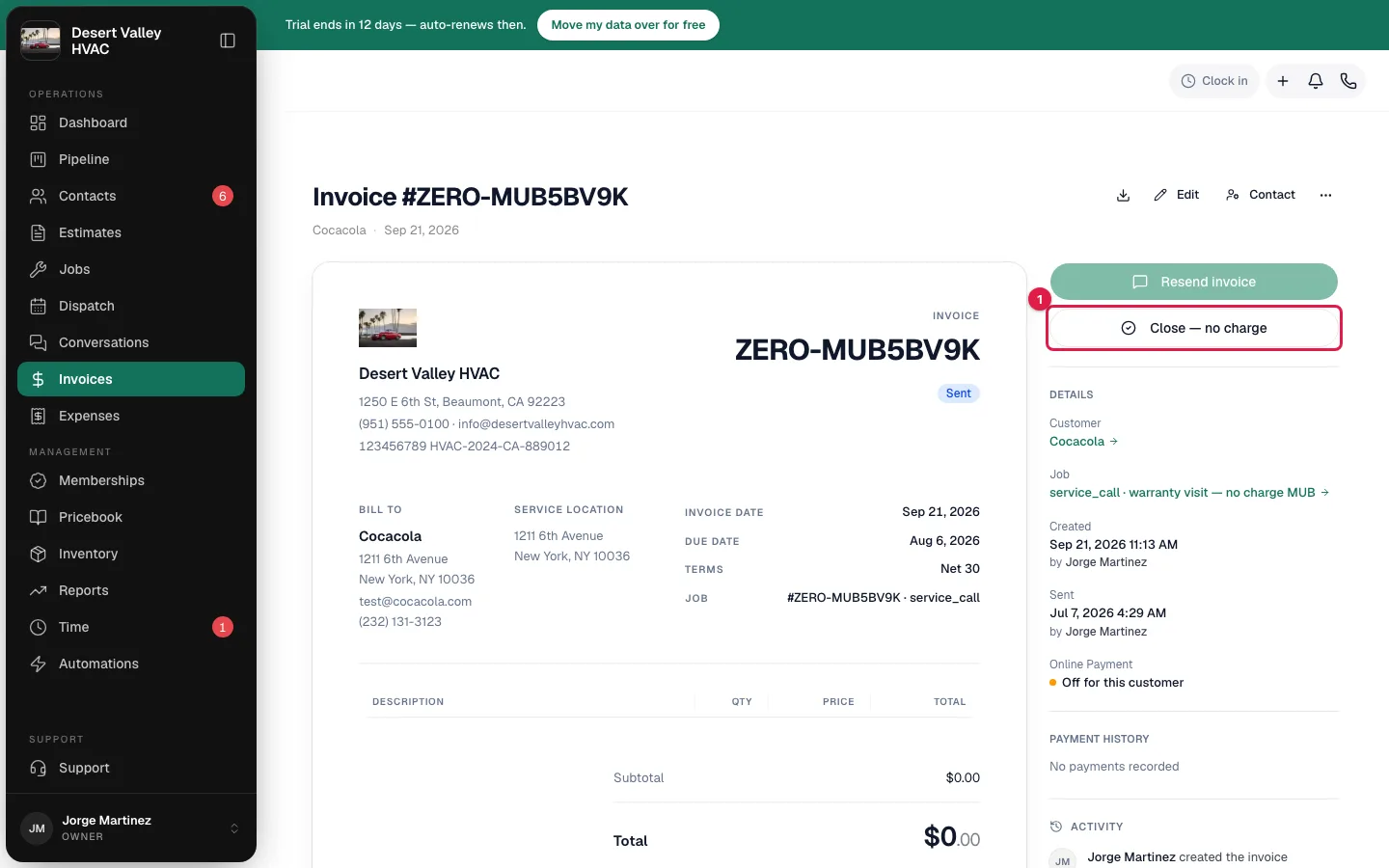
Some invoices come to $0: a warranty repair or a no-charge callback, for example. There's no payment to record on them, so they have their own action, Close — no charge. It settles the invoice and closes the job without anything going to the customer.
Who can do this
Owners, admins and dispatchers can close any $0 invoice. Field techs can close one for a job they're assigned to. Undoing it takes an owner or admin.
From the office
- Open the $0 invoice. In the right-hand panel, Close — no charge takes the place of Record Payment.
- Click Close — no charge.
- In Close this invoice at no charge?, confirm with Close — no charge.
You see Invoice closed — no charge.
From the mobile app
When the job's lines add up to $0, Generate Invoice builds the invoice at $0.00 and the invoice screen shows No charge on this visit where Collect payment on site normally is. (A job with no lines at all shows Nothing to bill yet instead; add the work first.)
- Tap Close, no charge.
- Confirm Close this invoice at no charge? with Close, no charge. You see Invoice closed, no charge.
The tech can't undo this from the phone. The confirmation says so: Only the office can undo this.
What happens
| Where | Result |
|---|---|
| Invoice | Marked paid with no payment recorded. Its badge reads No charge instead of Paid, on the invoice and in the Invoices list, so nobody reads it as money collected. |
| Job | Changes to Closed, the same as when a normal invoice is paid in full. |
| Customer | Nothing is sent. No email, no text, no receipt. Automations that run when an invoice is paid (a thank-you text, a review request) don't run. |
| Send receipt | Not available on the invoice afterwards. There was no payment to send a receipt for. |
| Editing | The invoice locks, like any settled invoice. |
| QuickBooks | If QuickBooks is connected, the invoice syncs. No payment is created. |
| A draft | Closing a draft finalizes it without sending it. The customer never receives it. |
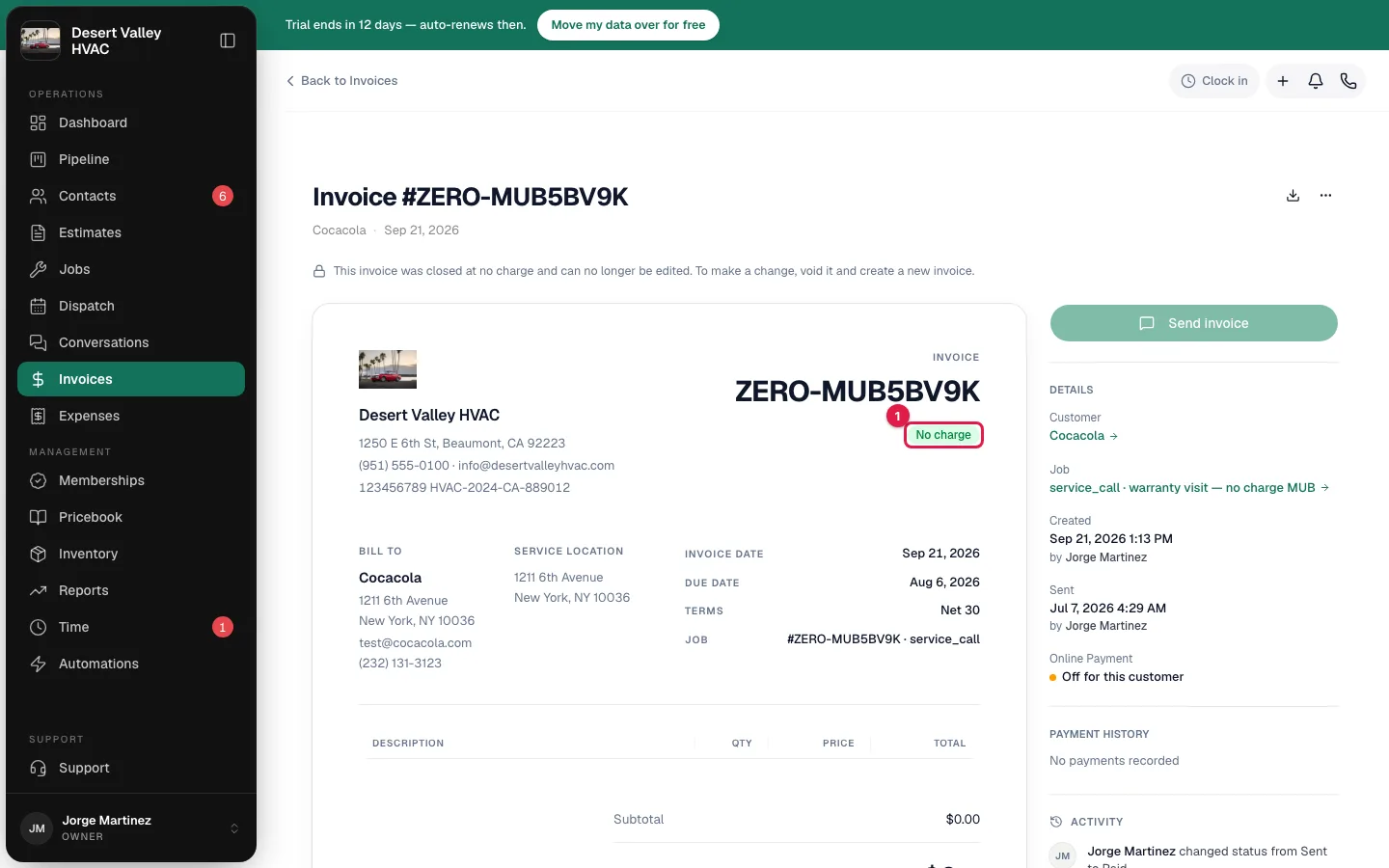
Undo it
Owners and admins can void the invoice: open its ⋯ menu and choose Void invoice. An invoice closed at no charge is the one kind of settled invoice that can be voided, because it has no payment to remove first.
Voiding sends the job back to Completed, and Create invoice reappears on it. See Voiding and deleting invoices.
When the button isn't there
| Situation | What to do |
|---|---|
| The total isn't $0 | Record a payment instead. See Collecting cash and other offline payments. |
| The invoice has a payment on it | An owner or admin deletes the payment first. Then close it. |
| It's a membership renewal billing $0 | This one can't be closed by hand, because closing it would renew the membership for free. Fix the plan price on the membership, then void the invoice and bill again. |
| The invoice is void or already closed | Nothing to do. |
| It's a sample invoice | Sample data can't be closed. |
Good to know
- $0 invoices aren't chased. They don't get overdue reminder texts, and they don't count toward the unpaid total on the customer's page.
- Why not void a $0 invoice instead? Voiding reopens the job as ready to invoice, so finished warranty work would sit in your to-bill list. Closing at no charge keeps the record and finishes the job.
- The customer's copy says Paid. If the customer opens the pay link or the PDF for an invoice you closed this way, they see it as paid. No charge is the label your team sees.