
Download a spreadsheet (CSV) of your customers, jobs, estimates, invoices, payments, memberships, or equipment — for your accountant, a backup, or your own analysis in Excel or Google Sheets.
Who can do this: owners and admins.
Open Settings → Import & export
Click your name in the bottom-left corner of the sidebar, choose Business, then click Import & export. Scroll to Export your data.
Click Export next to what you need
| Export | Includes |
|---|---|
| Customers | Contacts, source, tags, and addresses |
| Jobs | Status, customer, address, assigned tech |
| Estimates | Status, tier sold vs. proposed, conversions |
| Invoices | Amounts, balance, sent and paid dates |
| Payments | Method, status, and Stripe references |
| Memberships | Active plans, billing cycle, renewal dates |
| Equipment | Manufacturer, model, serial, warranty |
Each export is its own file. Export several if you need them.
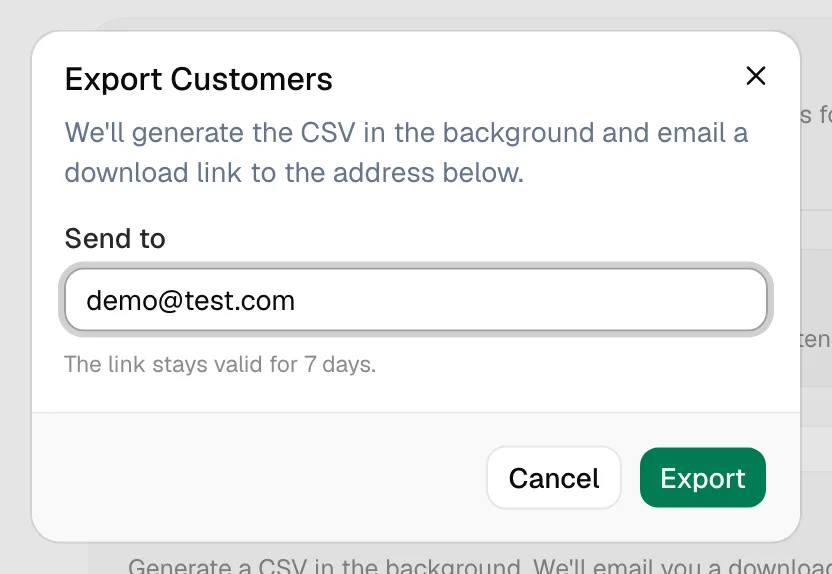
Confirm the email and click Export
The window fills in your email under Send to — change it if the link should go to someone else, like your bookkeeper. Click Export.
Download the file
Run a Call builds the file in the background, usually within a few minutes, and emails a download link. You can also download it from Recent exports on the same page:
| Status | Means |
|---|---|
| Queued / Generating | Being built. Click Refresh to check again. |
| Ready | Click Download |
| Failed | Something went wrong — the email explains, or try the export again |
| Expired | The link is older than 7 days. Run the export again. |
Download links stay valid for 7 days after the export is ready. Recent exports shows your last 25.
Good to know
- Photos, files, signatures, and call recordings aren't included in these spreadsheets.
- Exports are a snapshot. They contain your data as of the moment the file was built.
- Need everything, or a different format? Send a request from Support and tell us what you need.