
Inventory tracking is off for new accounts. Turn it on when you're ready to keep count of the parts you stock.
Who can do this: owners and admins.
Open the setting
Go to Settings → Pricing and scroll to the Inventory section.
Turn it on
Switch on Enable inventory tracking. A confirmation explains what happens next; click Turn on tracking. You'll see Inventory tracking enabled.
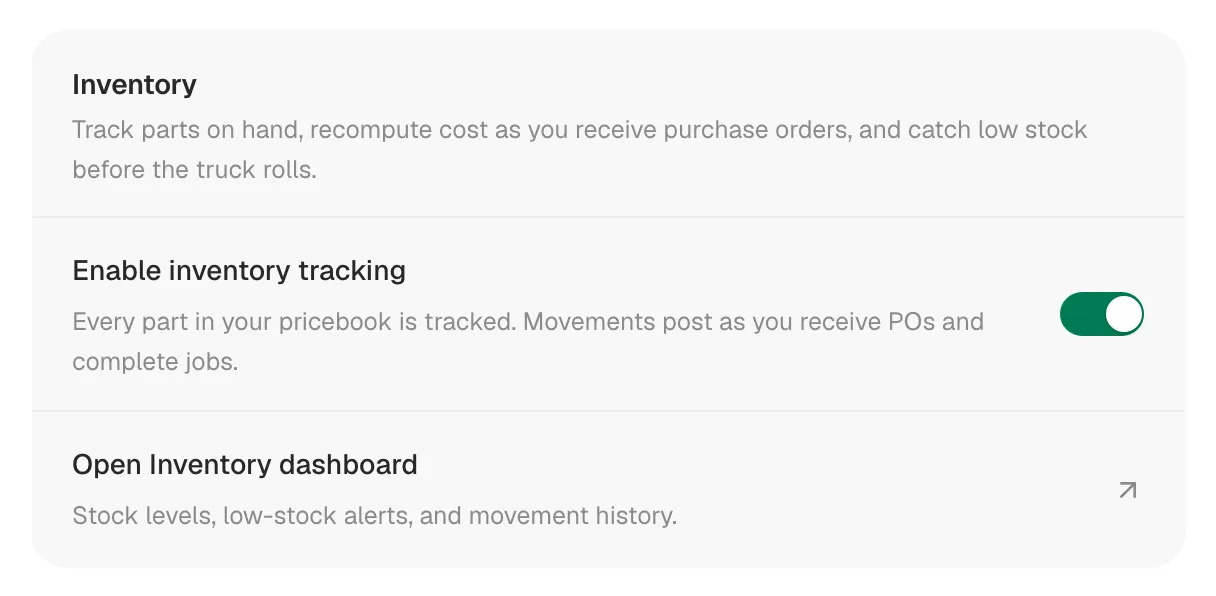
There's no separate Save button; the switch takes effect right away.
What changes when it's on
- Every Part in your pricebook is tracked, including parts you add later. Services, labor and equipment items aren't.
- Everything starts at zero on hand. If a part has a Cost in the pricebook, that becomes its starting average cost.
- Inventory appears in the sidebar for owners, admins and dispatchers, and Open Inventory dashboard appears under the switch.
- Editing a Part in the pricebook shows an Inventory section with On hand, Low-stock at and Track this part.
- When you add a custom line to a job, estimate, invoice or purchase order, you can tick Add to pricebook to save it as a tracked part.
Set your starting counts
Count what's on your shelves and trucks, then record it:
- Go to Inventory and click a part.
- Click Adjust count, choose Set exact count, type what you counted, pick Miscount as the reason and click Record adjustment.
Receiving purchase orders adds stock from then on. See Making a manual stock adjustment and How purchase orders receive stock.
Stop tracking a single part
Open the part in the pricebook (pencil icon) and switch off Track this part in its Inventory section. It saves immediately; close the item afterwards.
Clicking Save changes on a Part turns tracking back on. If you switch Track this part off, close the item with Cancel instead of saving it.
Turn inventory off
Switch Enable inventory tracking off and click Turn off tracking. The Inventory page, low-stock warnings and the pricebook's stock section are hidden, and jobs and purchase orders stop changing stock. Your history is kept: turn tracking back on at any time and it picks up where it left off.
Common questions
A part isn't on the Inventory page. Check that its type is Part and Track this part is on.
A tech can't see Inventory. That's expected. Field techs don't have the Inventory page; their jobs still update stock.