
The nine automatic customer texts (booking confirmation, day-before reminder, on-my-way, arrival, job done, invoice link, overdue payment, review request and cancellation) need business texting on your account. Emails don't; they work right away.
What texting needs
| Requirement | Why |
|---|---|
| Texting add-on on your Run a Call account | It gives your business number two-way texting. $39/mo, including 2,000 texts a month, then $0.03 per text. It's $99/mo if you take it together with Voice. |
| Approved texting registration | US carriers require every business that texts customers to register its business and the kind of messages it sends. Unregistered business texts get filtered or blocked. Run a Call handles the registration; you provide your business details. |
The same setup powers the texts you send by hand from Conversations, so if you can already text customers from there, your automatic texts are ready too.
Start from the Automations page
Open Automations. Until texting is set up, below your folders you'll see a card asking Want to text your customers? Click Set up business texting.
Choose Texting and confirm
Pick Texting (add Voice too if you want calls on the same number), review the monthly price and confirm with your card. For details on numbers and registration, see Getting a new phone number and Registering your business for A2P 10DLC.
Wait for approval
While your registration is under review, the card on the Automations page changes to Which texts do you want on when this is ready? with the badge Setting up — we'll email you when it's ready. Approval usually takes a day or two.
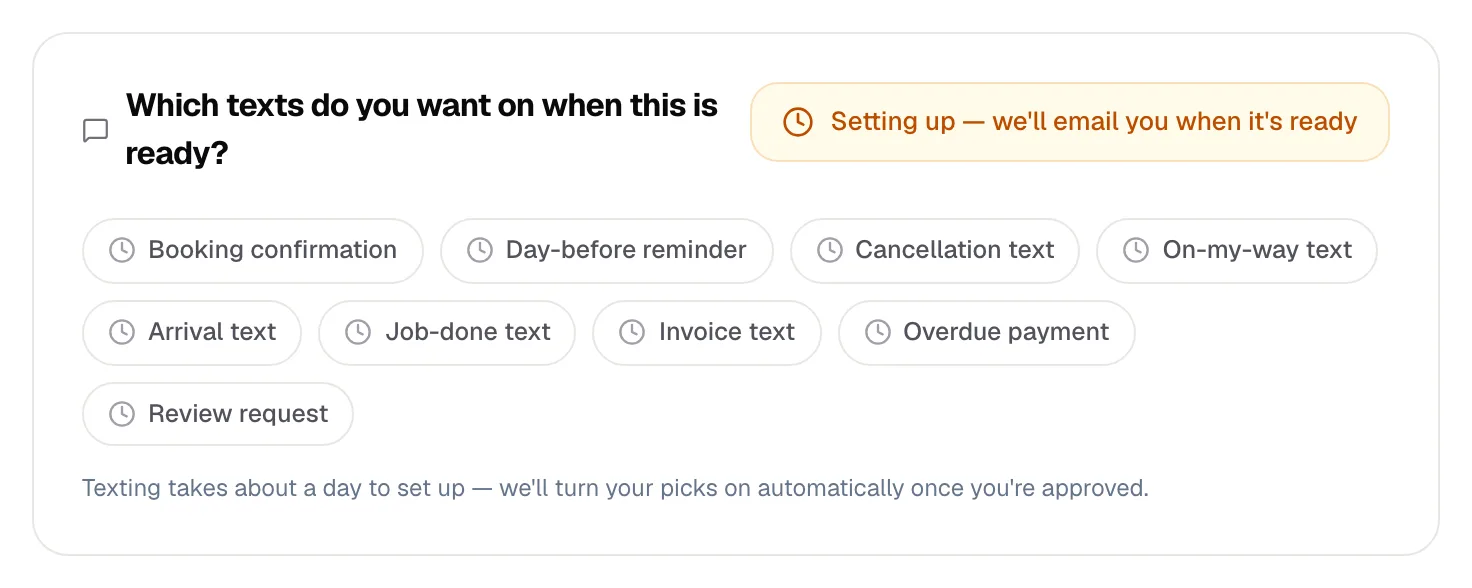
You can tap the texts on that card to mark the ones you're interested in, but those picks aren't saved. After approval, turn the texts on yourself in step 4.
Turn on the texts you want
Once approved, the card disappears and a Texting folder appears on the Automations page with all nine texts:
| Switch | Sends when |
|---|---|
| Text a booking confirmation | A job is scheduled |
| Text a reminder the day before | The day before the appointment |
| Text the customer when a job is cancelled | A scheduled job is cancelled |
| Text the customer when the tech is on the way | The tech taps On My Way |
| Text the customer when the tech arrives | The tech arrives on site |
| Text the customer when the job's done | The job is completed |
| Text the invoice link | You send an invoice |
| Text a reminder when payment is overdue | 7, 14 and 30 days past due |
| Text a review request after the job | After the job is completed |
Open the folder and flip on the ones you want.
The overdue payment text checks your open invoices every morning. Turning it on can text customers whose invoices are already 7 or more days past due, so tidy up old unpaid invoices first.
The review request needs one more thing
Text a review request after the job stays locked until your business has a Google review link. Add it in Settings → Reviews, or from the Reviews page gear under Invites — it is the same link. Until then the switch is greyed out and the row offers an Add Google review link → shortcut.
The text sends a tracked link, with one reminder after 48 hours if it isn't opened; see who opened it and who left a review under Reviews → Invites — see Google reviews: connect, reply, and ask for them.
Good to know
- Opt-outs are automatic. Customers who reply STOP don't get automated texts. See How customers can opt out of texts.
- Customers aren't flooded. A customer gets at most one automated text every 25 minutes, across all automations.
- Custom automations use the same rules. A Send SMS step in an automation you build needs texting too. While your registration is still in review you can already activate it, but texts only go out once you're approved.
- Change the wording of any text: Changing the wording of a built-in message.