
Every job has a printable service report: a one-document summary of the visit with your logo, the customer and property, the work done, parts and prices, photos and your technician's customer-visible notes. Print it for your records, hand it to the customer, or email it straight from the job.
Run a Call doesn't have a separate "work order" document. The service report is the job's printable document. If the customer gives you their own PO or work order number, put it in the job's Reference field — see Job numbers and reference numbers.
Download or print the service report
- Open the job.
- Click the printer icon in the top-right corner, next to Create invoice.
- The PDF downloads as Service-Report-JOB-0001.pdf (with your job number). Open it to print or save.
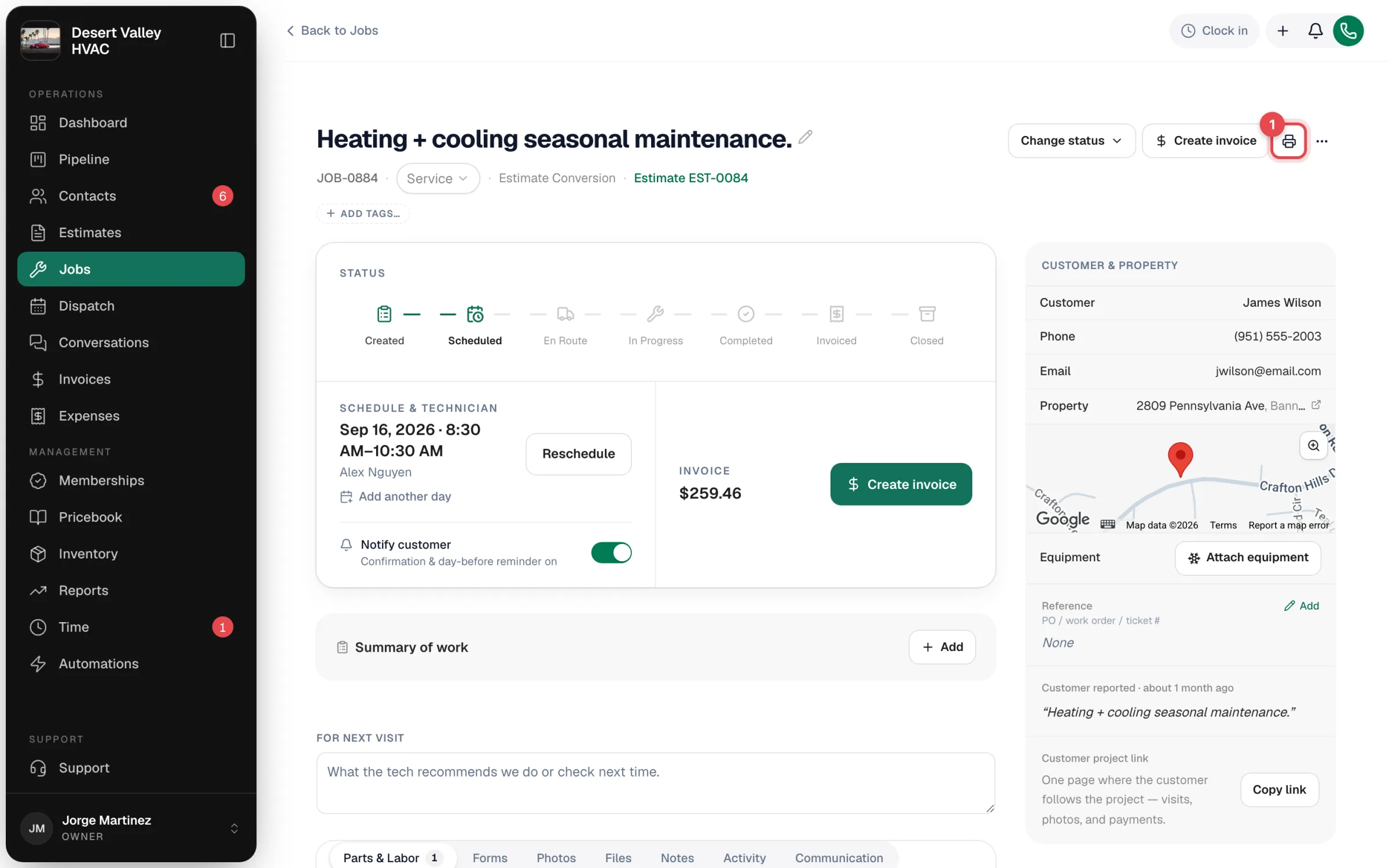
The printer icon is on the office job page on a computer. You can download the report at any stage of the job.
Email the report to the customer
Once a job is Completed (or Invoiced or Closed):
Open the ⋯ menu
On the job, click ⋯ in the top-right corner and choose Send report to customer.
Check the email address
The Send service report dialog fills in the customer's email. Change it under Send to if needed.
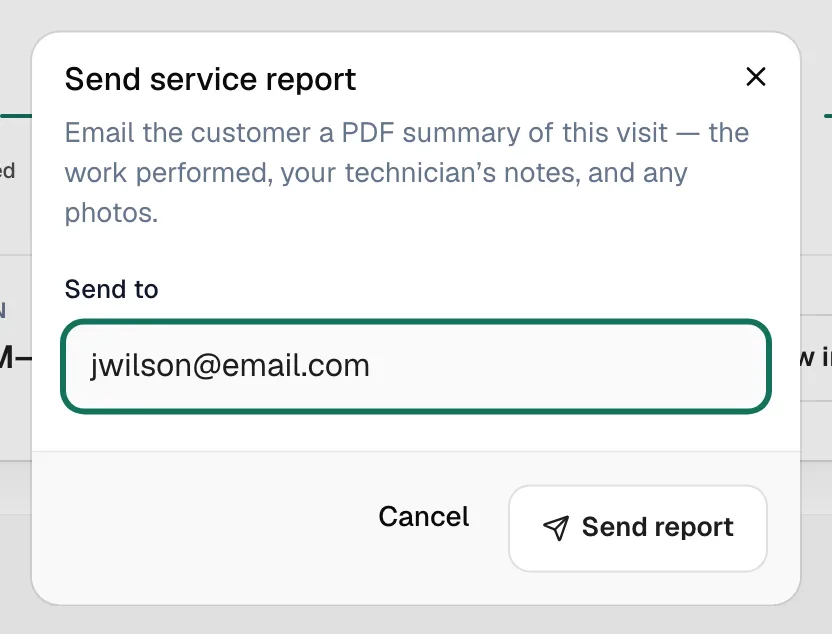
Click Send report
The customer gets an email with the PDF attached. You'll see Service report sent to customer.
To send the report automatically every time a job is completed, turn on Email the customer a visit report when the job's done in Automations.
What's on the report
| Section | What it shows |
|---|---|
| Header | Your logo, business name, address, phone, email and license line, plus the job number and date |
| Customer and Property | Who the work was for and where |
| Summary of work | The summary written on the job page |
| Problem description, Diagnosis, Work performed | What the customer reported and what the tech found and did |
| Parts & materials | Each line item with quantity, unit price, discount and total |
| Photos | Photos added to the job |
| Technician notes | Only notes that aren't marked internal |
Internal notes never appear on the report. See Adding and editing job notes.
Make the report look like your business
- Logo and business details come from Settings → Business. See Uploading your company logo.
- License numbers come from Settings → Hours & Licenses.
- The layout and sections are fixed; you control what's in them through the job itself (summary of work, notes, photos, line items).