
Techs see a customer's membership, and sell one, right on the job in the mobile app. The best moment is often right after a repair, when the tech can show what the plan would have saved.
Who can do this: anyone who can open the job in the mobile app. Techs can view and enroll; renewals and plan changes are handled in the office.
The Membership row
Open the job. In the This visit list, right under Equipment, the Membership row tells the tech where the customer stands before they tap it.
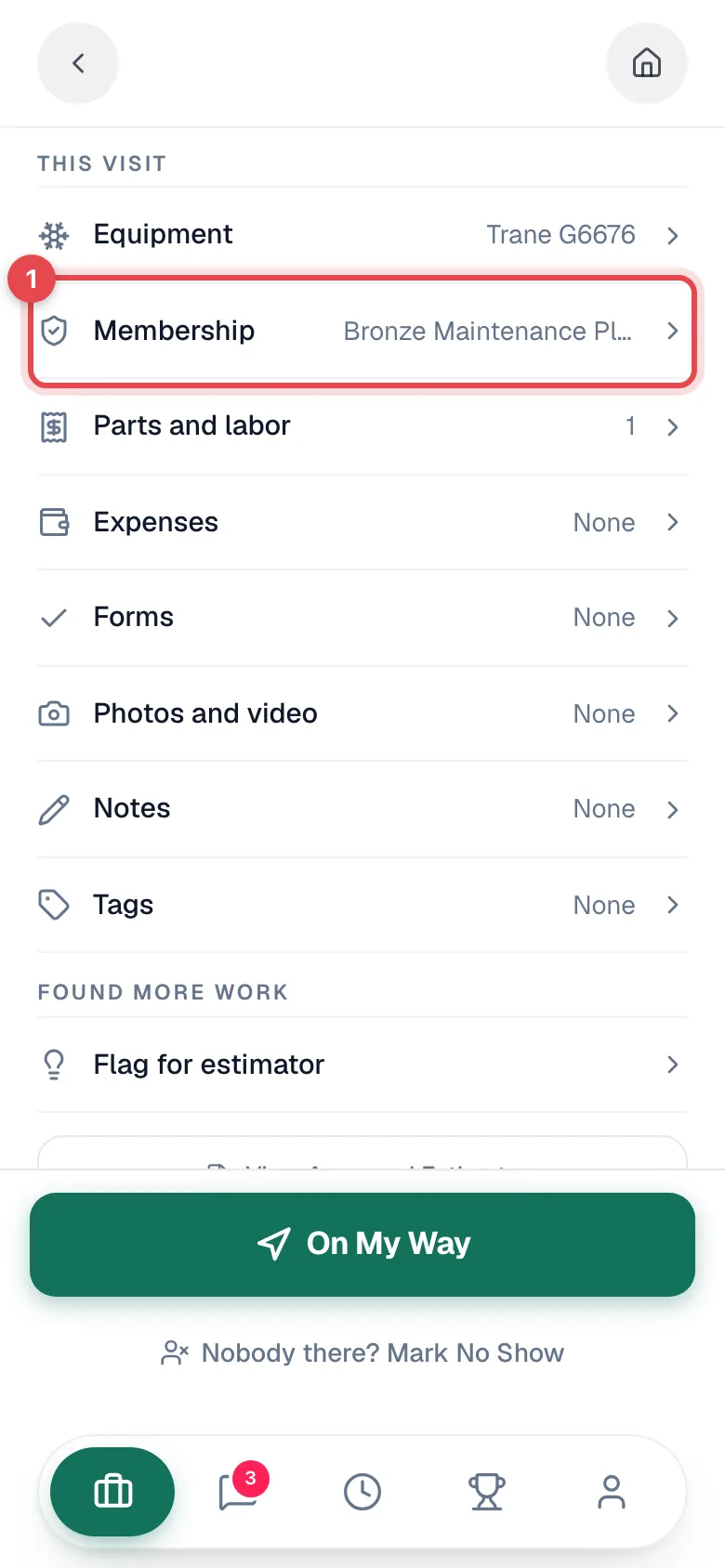
| The row reads | Meaning |
|---|---|
| Not a member | Never enrolled. Tap to enroll. |
| The plan name, with the visit on a covered tune-up (for example Visit 2 of 2) | Current, paused or not-renewing member. Tap to see the details. |
| Lapsed · Bronze Maintenance Plan | Former member (cancelled or expired). Tap to re-enroll. |
There's no separate memberships screen in the app; everything starts from the job.
A member's details
Tapping the row for a member shows Plan, Status (for example Paused), Next tune-up, Renewal, Repair discount, Priority scheduling and Systems covered. Nothing here can be changed by the tech: Renewals and plan changes are handled by the office.
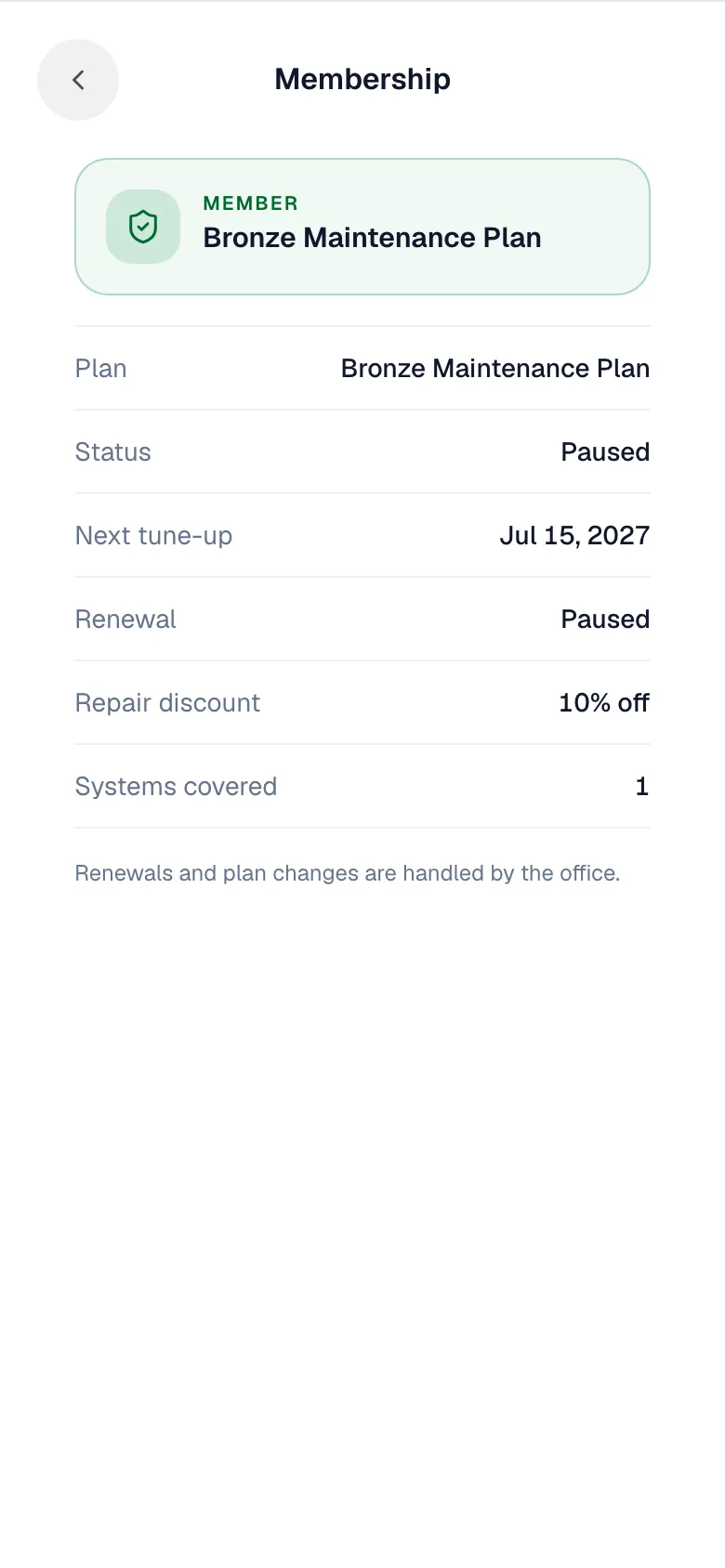
A member's job also shows a member card at the top, and if their renewal is overdue a Membership renewal overdue banner with the amount and a Mark paid option. If your company blocks service for overdue members, the banner reads Cannot service until paid and only an owner or admin can override it on site.
Enroll a customer on site
-
Tap the Membership row.
-
Pick a plan. Each card shows the price, tune-ups per year, repair discount and priority dispatch. One-time plans aren't offered here.
-
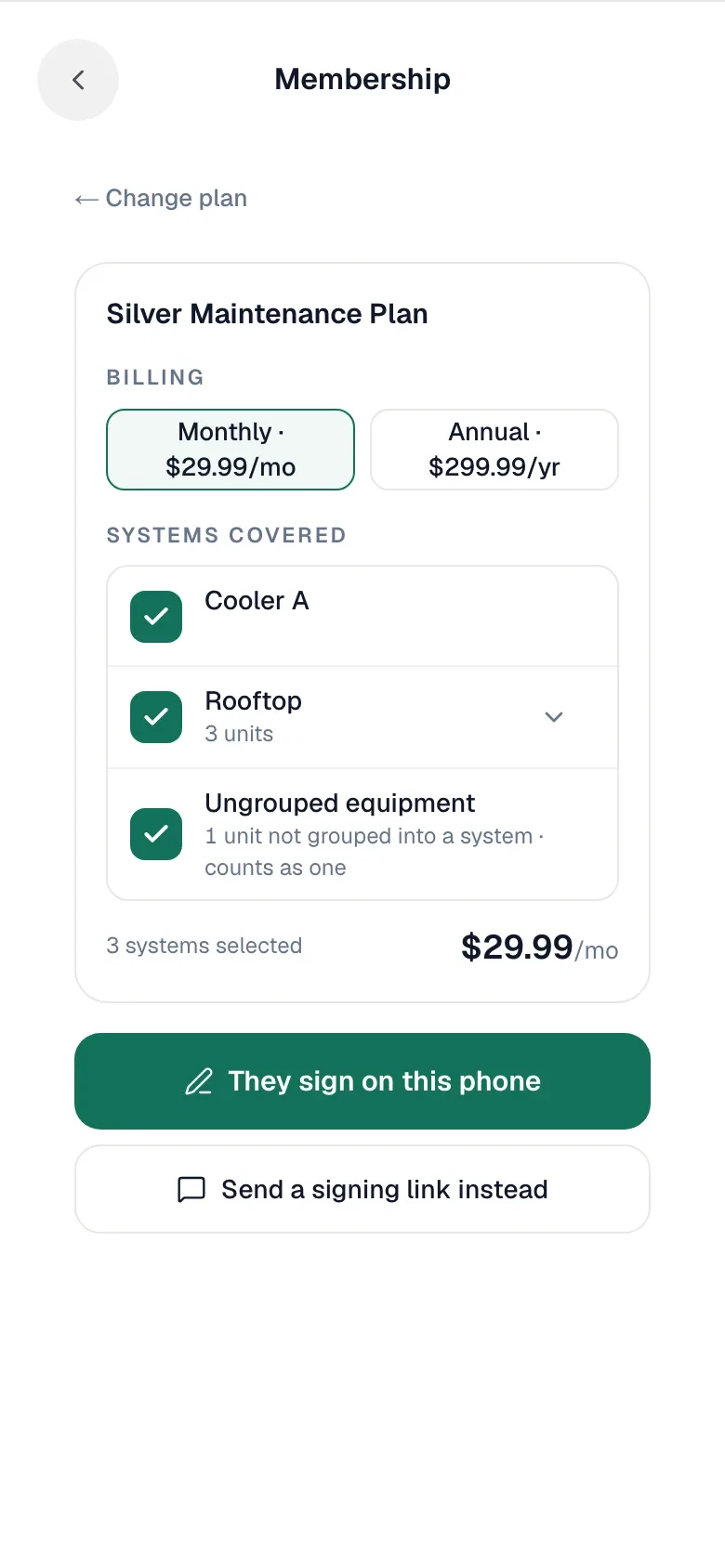
Billing and systems. Choose a billing option. Under Systems covered, the customer's equipment systems are listed and ticked; equipment not grouped into a system counts as one. Untick anything the plan shouldn't cover. The price updates as you go.
-
Sign. Choose one:
- They sign on this phone: the customer reads the terms and signs on the tech's phone (Read and sign to enroll).
- Send a signing link instead: texts the customer a one-time link to sign on their own phone. Without a mobile number, show a QR code or copy the link instead.
-
You'll see Enrolled in Silver Maintenance Plan. The office will send the first invoice.
Pitching while the invoice is open
For a customer who isn't a member, once the job has an invoice, the Parts and labor panel can show a card such as Could save $48 today with the plan that would have saved the most. Its buttons open the same enrollment with that plan picked.
Re-enrolling a lapsed member
When the row reads Lapsed, the panel says, for example, Was a Bronze Maintenance Plan member until Mar 15, 2026 and offers the plan picker. Customers with an active, paused or not-renewing membership can't be enrolled twice.