
Membership payments run on renewal invoices. Before each member's Next Billing date, Run a Call creates the renewal invoice for you. You then collect it like any invoice, or, for customers with a card on file and autopay turned on, the card is charged automatically.
How renewal invoices are created
Every morning, Run a Call looks for active memberships whose Next Billing date is coming up and creates a renewal invoice for each one:
- It's created 14 days before the billing date by default. The owner can change this under Settings → Memberships → Send renewal invoice this many days early (1 to 60 days).
- The invoice has one line, such as Gold Maintenance Plan membership — Jul 2026 renewal (split into first-unit and additional-unit lines on per-unit plans), with your tax rate and payment terms, and it's due on the billing date.
- It's created as a draft. Your office gets a notification, Renewal invoices ready to collect.
- When the renewal is paid, the membership rolls forward to its next billing date.
Paused, cancelled and expired memberships don't get renewal invoices, and plans set to Ends after their term stop invoicing at the end of the term.
Renewal invoices aren't emailed to members automatically. Open the invoice and send it, share a payment link, or take payment, unless the member is on autopay. An unpaid draft still counts as overdue after the due date and grace period, and the member gets the overdue reminders even if you never sent it.
The owner can turn off Automatically email renewal invoices under Settings → Memberships to stop creating renewal invoices altogether. That also stops autopay charges, and a membership that passes its paid-through date without a paid renewal expires after the grace period, so only do this if your office collects every renewal with Collect renewal.
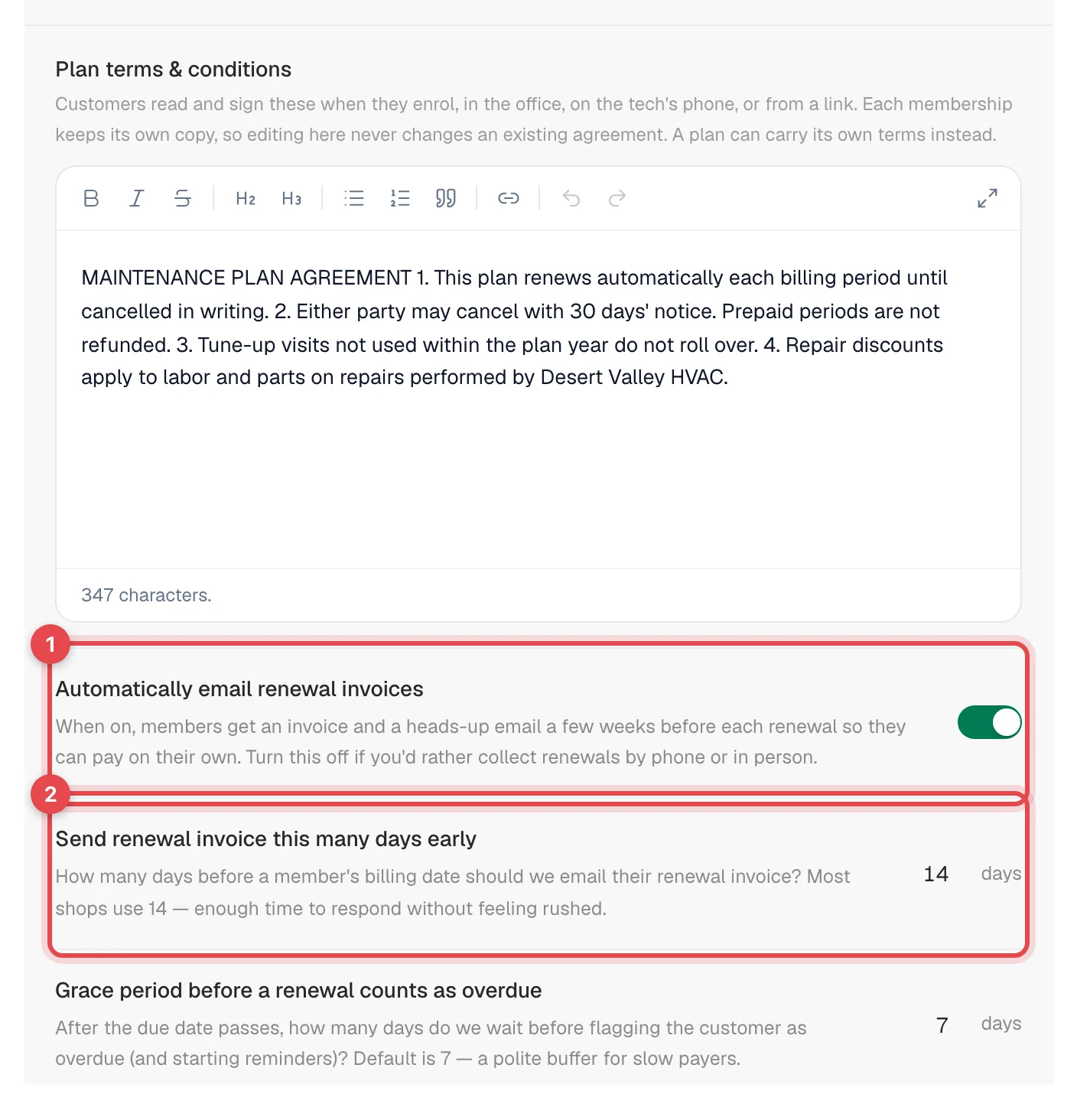
Despite its wording, Automatically email renewal invoices controls whether renewal invoices are created, not whether they're emailed.
Collect a renewal yourself
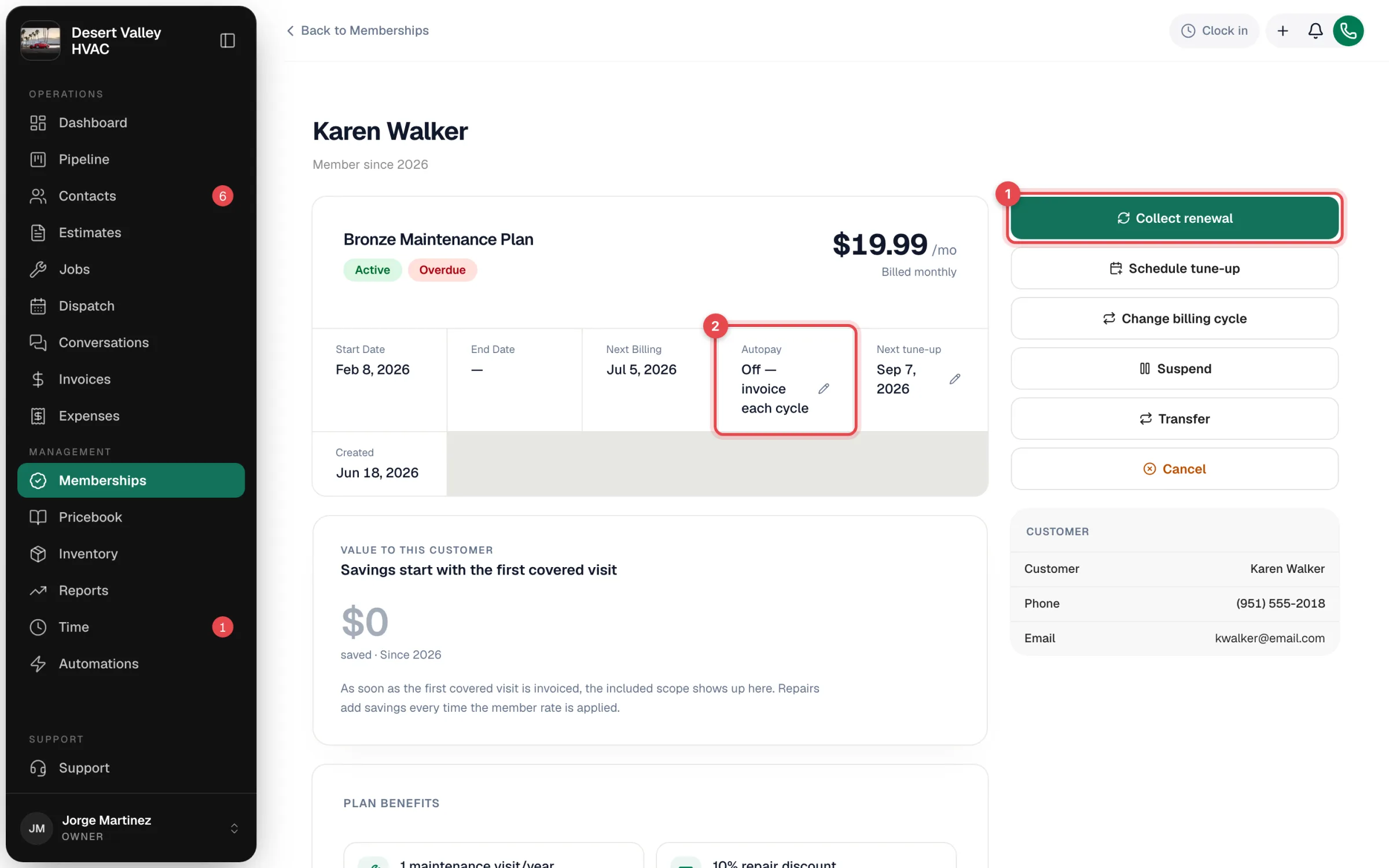
On the membership page, click Collect renewal. The renewal invoice for the next billing date opens (it's created if it doesn't exist yet). From there, send it, charge a card on file, or record cash or a check. See Sending payment links and Collecting cash and other offline payments.
The first payment works the same way: enrolling doesn't bill the customer by itself, and the first Next Billing date is one billing cycle after the start date (one-time plans bill on the start date). Use Collect renewal if you want to take payment when they sign up.
Autopay
For members with a saved card, autopay charges each renewal to that card, so nobody has to chase the payment.
Before you start: your company needs online card payments set up with Stripe, and the customer needs a card on file. See Keeping a customer's card on file.
Turn it on:
- At enrollment: in the Review step, switch on Autopay with Visa •••• 1234 (it only appears when the customer has a card on file).
- Later: on the membership page, click the pencil next to Autopay, then Turn on.
What happens:
- The card is charged when the renewal invoice is created (by default 14 days before the billing date), for the renewal amount plus your card fee if your account adds one.
- The invoice is marked paid and the membership rolls forward.
- If the saved card was removed, the customer's current default card is used instead.
If the charge is declined: the invoice stays unpaid, the card is flagged, and the member appears in the Card failed list on the Today tab until a charge goes through. Call for a new card and collect the renewal. The unpaid invoice then follows the overdue reminders below.

The confirmation when you turn autopay on says the card is charged "on its due date". In practice the charge happens when the renewal invoice is created, which is 14 days before the billing date unless the owner changed that setting.
To turn autopay off, click the pencil next to Autopay and choose Turn off. Renewals then go back to invoices you collect.
When a renewal isn't paid
After the due date and a grace period (7 days by default), the membership counts as overdue. It shows under AR overdue on the Today tab, reminders go out automatically, and it can be paused if it stays unpaid. See Membership renewal settings and overdue reminders.
QuickBooks and reports
Renewal invoices and their payments sync to QuickBooks like any other invoice when sync is on. See How payments sync to QuickBooks Online. Monthly recurring revenue and renewals are on the Today and Insights tabs and in the Memberships report.