
The Memberships report is your maintenance-plan business on one screen: recurring revenue, who's renewing, who's about to lapse, and which tune-ups still need to be booked — so you can act before you lose a member.
Open it from Reports → Memberships → Memberships. Owners and admins can see it. There's no date range: it always shows today's picture.
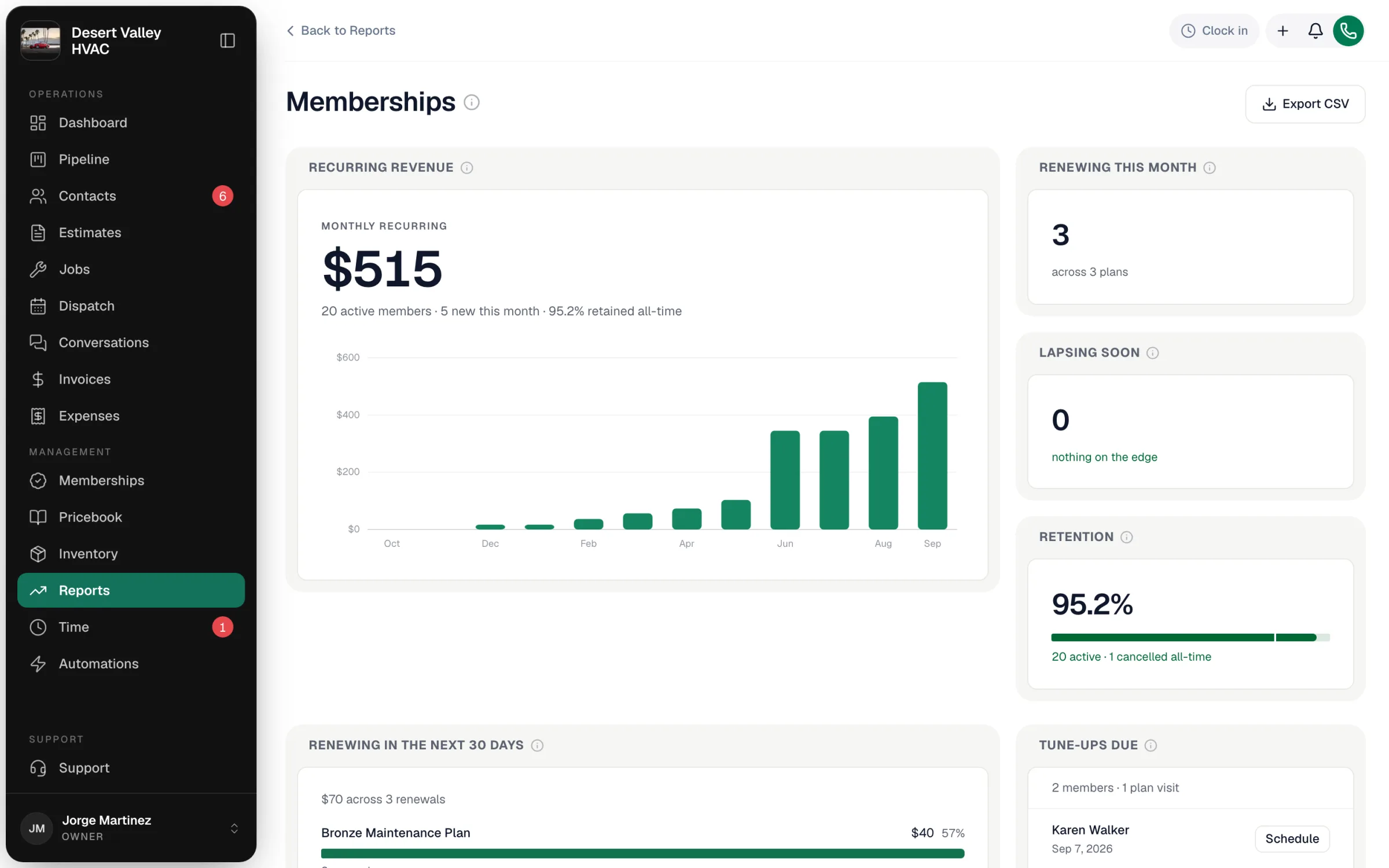
The tiles
| Tile | What it shows |
|---|---|
| Recurring revenue | Monthly recurring revenue from active plans — each plan's price converted to a monthly amount (and multiplied by units for per-unit plans) — plus active members, new members this month, and the twelve-month trend. |
| Renewing this month | Memberships whose renewal date falls in the current calendar month, and across how many plans. |
| Lapsing soon | Memberships renewing in the next 7 days. These are this week's calls. |
| Retention | Active members as a share of everyone who has ever held a plan (active plus cancelled or expired). |
| Renewing in the next 30 days | Renewal revenue due in the next 30 days, split by plan. |
| Tune-ups due | Plan visits due this month that haven't been scheduled yet. Schedule opens a new job for that visit. |
| Upcoming renewals | Every renewal in the next 30 days, soonest first, with the plan, amount, renewal date and the last time anyone spoke to the customer. |
All dates follow your company's calendar, and "today" counts — a membership renewing today is in the list.
Members per plan, failed payments and revenue by year
Below the tiles, three more blocks, each with its own Export CSV:
| Block | What it shows |
|---|---|
| Members per plan | Active members and the monthly recurring revenue each plan brings in, with its share of the total. Plans with no members show as zero. Members on a plan you've since deleted still count, so they don't disappear from the numbers. |
| Failed payments | Two lists. Declined cards: members on autopay whose card on file was declined, with the last error and when it failed. Unpaid renewals past due: renewal invoices past their due date, with the balance and how many days late. |
| Plan revenue by year | What each plan was invoiced for in each of the last three calendar years, this year included. It counts renewal and enrollment invoices, plus membership lines added to job invoices. Draft and voided invoices don't count. |
Failed payments shows who is failing right now, not a history: once a declined card is charged successfully or an overdue renewal is paid, it drops off the list.
About the twelve-month trend
The chart replays each past month using the members who were active that month at today's plan prices. If you changed a plan's price or billing cycle, earlier months are an estimate rather than exact history.
Membership Sales by Tech
Sales by tech shows who is enrolling members this year: memberships sold, the monthly recurring revenue they added, and the lifetime value those members have paid so far. A sale is credited to the tech who tapped Enroll — from the membership savings card when closing out an invoice in the field, or the enroll dialog. Open it from the memberships leaderboard tile on your dashboard.
For each tech's membership conversion rate — how many non-member customers they turned into members — see the Members and Conv. columns on the Technician Scoreboard.
Export
Export CSV at the top downloads the headline numbers, recurring revenue by month, upcoming renewals and tune-ups due. Members per plan, Failed payments and Plan revenue by year each have their own Export CSV.