
Memberships are maintenance plans your customers pay for on a schedule. In return they get included tune-ups, a repair discount and priority scheduling. Run a Call keeps track of who's a member, when their next tune-up is due, when they renew and who's behind on payment.
Open Memberships in the sidebar.
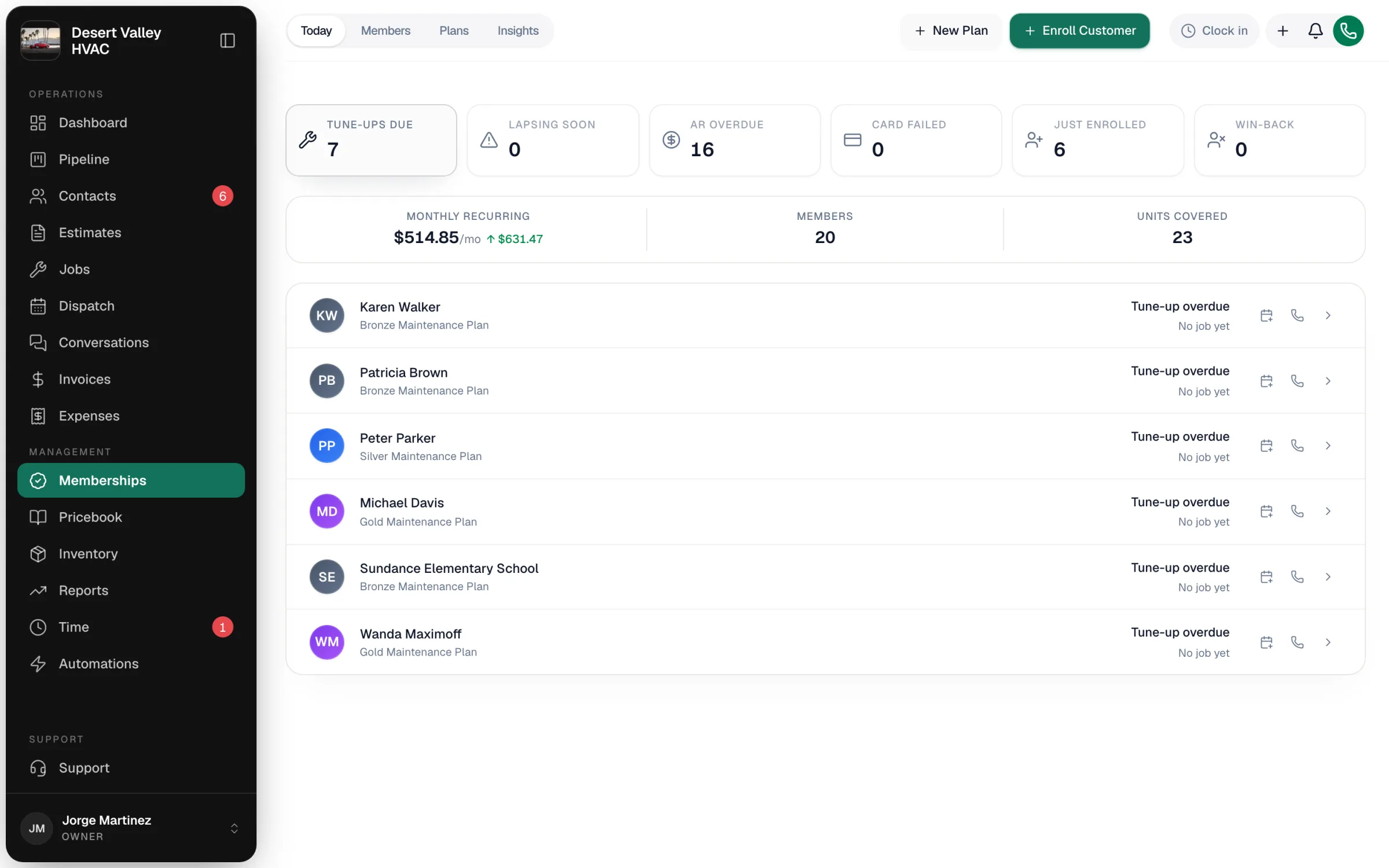
The four tabs
| Tab | What it's for |
|---|---|
| Today | Your worklists: Tune-ups due, Lapsing soon, AR overdue, Card failed, Just enrolled and Win-back, plus monthly recurring revenue, member count and units covered. |
| Members | Every membership, with plan, status, billing, next renewal, Last visit (the last completed tune-up the plan covers), Card on file (OK, Declined or None) and created date. Filter by status (Active, Expiring, Suspended) or search. Export CSV downloads every member in the current filter. |
| Plans | Your plans with price, visits per year, repair discount and status, and the Offer plans on estimates switch. |
| Insights | Membership analytics (owners and admins). |
How it works, start to finish
- Build a plan: price per billing cycle, tune-ups per year, repair discount, terms. See Creating a membership plan.
- Enroll a customer: in the office, on the tech's phone, or with a signing link. The customer signs the plan terms. See Enrolling customers in a membership.
- Collect payment: renewal invoices are created ahead of each billing date and emailed to members with a pay link, or charged automatically for members on autopay. See Renewals and autopay.
- Do the tune-ups: members show under Tune-ups due when their visit is coming up; schedule a covered visit from there. See Scheduling membership tune-ups.
- Give the member rate on repairs. See Applying member discounts.
- Manage changes: billing cycle, pauses, cancellations, transfers. See Managing a membership.
Membership statuses
| Status | Meaning |
|---|---|
| Active | Current member. Renewals are invoiced and tune-ups come due. |
| Not renewing | Cancelled at the end of the period. Benefits continue until then. |
| Suspended (shown as Paused) | Billing and benefits paused, by you or automatically after a long-overdue renewal. |
| Expired / Cancelled | No longer a member. Techs see them as Lapsed and can re-enroll them. |
Who can do what
| Role (default) | Access |
|---|---|
| Owner | Everything, including Settings → Memberships and scheduling plan price changes. |
| Admin | Create and edit plans, enroll and manage memberships, transfer memberships, Insights tab. |
| Dispatcher | Enroll and manage memberships, work the Today lists. Can't create plans or see Insights. |
| Field tech | Enroll customers from a job in the mobile app and see a member's plan. |