
Two buttons at the top of the dispatch board keep you on top of what's happening while you schedule: Needs you collects the things someone should act on right now, and Activity shows what the team has been doing.

Needs you
The amber Needs you button appears only when something is waiting, with a count. Click it to open the list. It checks for new items every minute.
| Group | What's in it |
|---|---|
| Emergencies with no tech | Emergency-priority jobs that nobody is assigned to. |
| Missed calls | Calls in the last 24 hours that nobody — person or AI Receptionist — answered. |
| Voicemails | Voicemails from the last 7 days. |
| Unread texts | Customer texts nobody has read yet. |
Act on an item
| Item | Buttons |
|---|---|
| Missed call or voicemail | Listen (voicemails), Call back, Text, and Done when nothing else is needed. |
| Unread text | Open to go to the conversation. |
| Emergency | Assign a tech to pick someone, or Never mind. |
A missed call also clears from the list once someone calls or texts that person back. Automatic texts (reminders, on-my-way, invoice links) don't count as a reply.
To hear about missed calls even when you're on another tab, turn on Tell me about missed calls in Board settings (the gear). Your browser will ask for permission to show notifications.
Text only shows for people whose role can use Conversations.
Activity
Click Activity to open a panel on the right side of the board with a live feed of your team's work: visits started and finished, payments, estimates and more. The number on the button counts what's new since you last looked.
- Use All, Money, Jobs and Customers to narrow the feed.
- The filter button lets you turn on Only show new items or pick one Person.
- Click an item to expand it, and use Open to jump to the record. Show older loads more.
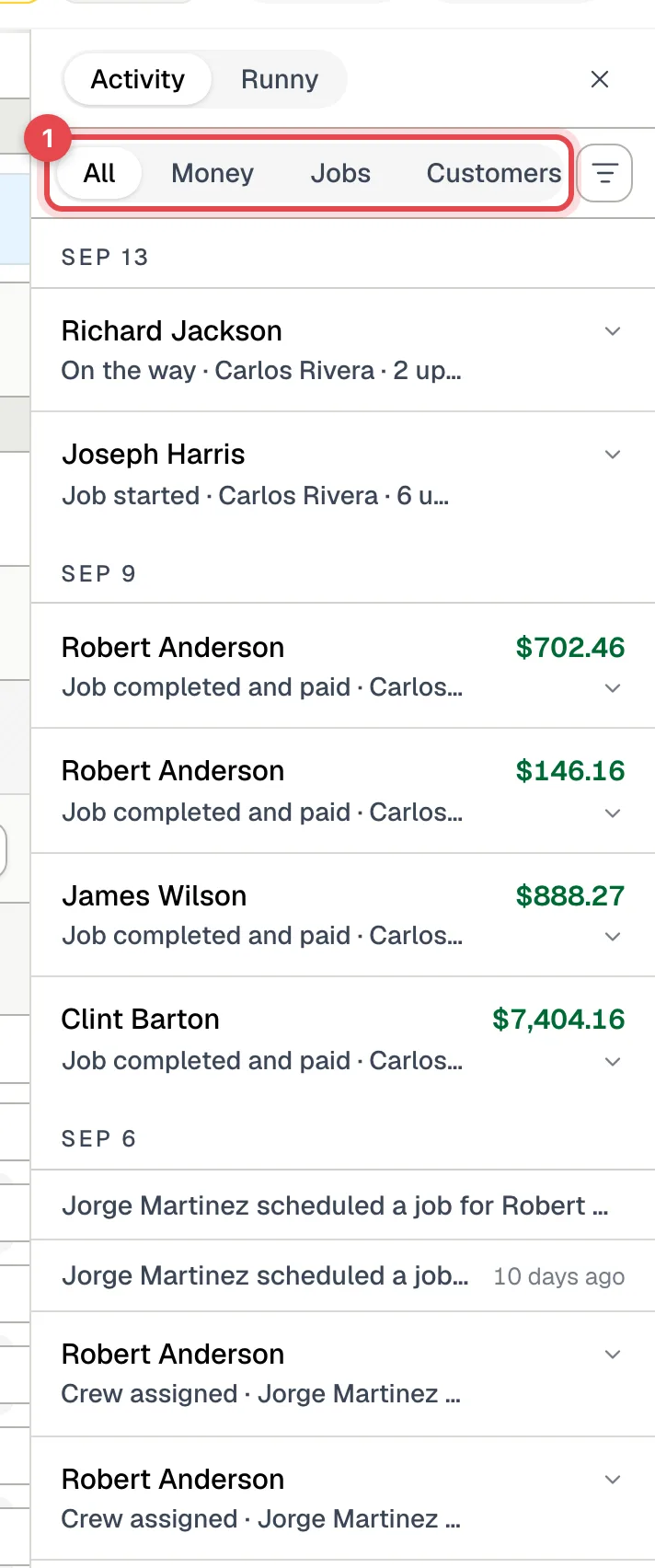
People whose role can't see prices don't see dollar amounts in the feed.
The same panel has a Runny tab for the AI dispatcher. See Using Runny, the AI dispatcher.
Where these buttons show
- Needs you and Activity are on the full dispatch board on a computer or iPad. They don't appear on the simplified board used on phones.
- Activity shows in the Timeline views and on the Map, not in the Calendar views, and it's hidden while the caller panel is open.