
Your company details are split across two settings pages: Business holds who you are (name, logo, contact details, address, timezone, brand color), and Hours & Licenses holds how you operate (licenses, job numbering, sales tax, business hours). Customers see most of this on your estimates, invoices, and emails, so it's worth getting right on day one.
Who can do this: owners and admins.
Open Settings → Business
Click your name in the bottom-left corner of the sidebar and choose Business.
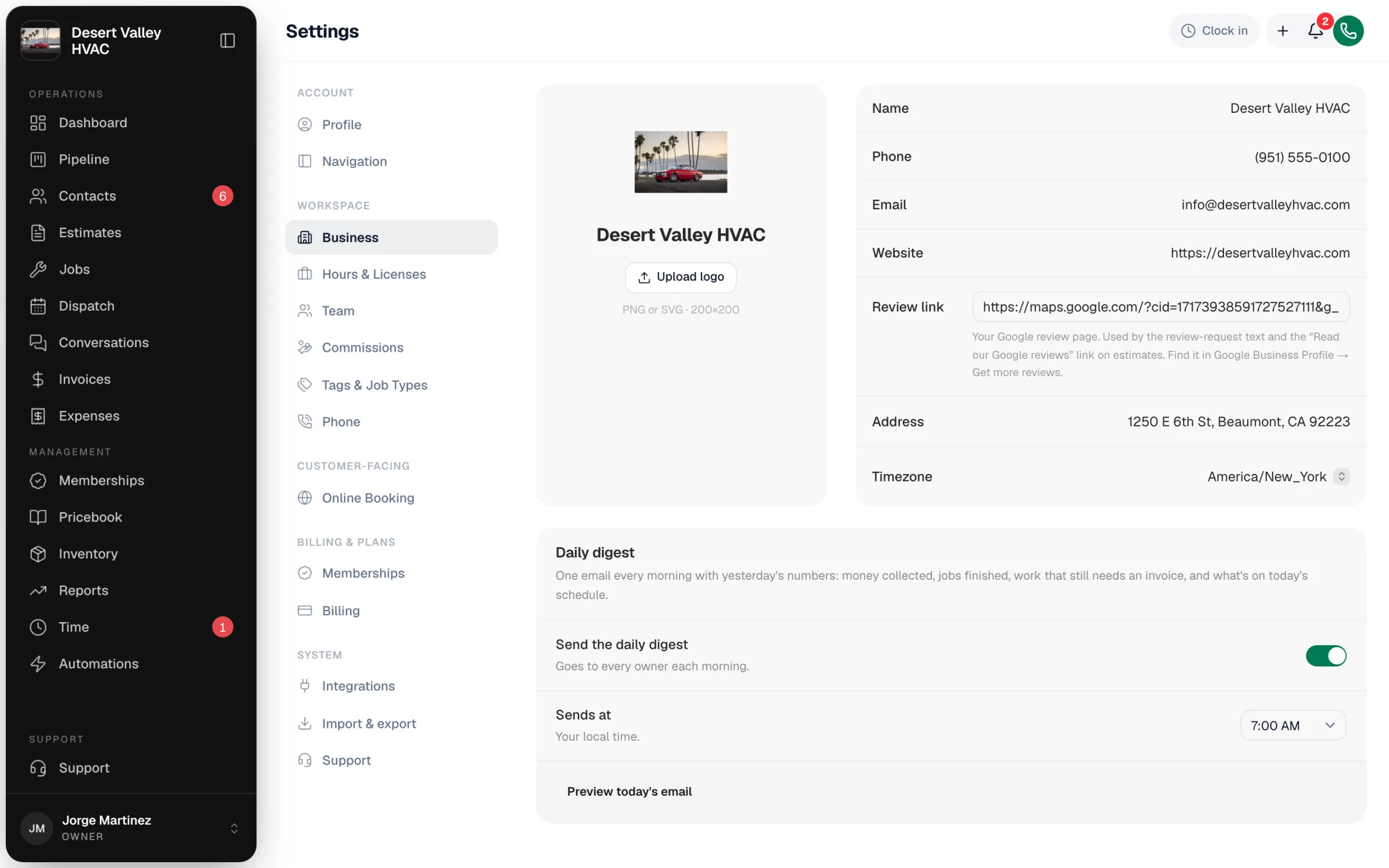
Update your company details
Type into any row. Changes save automatically a moment after you stop typing — a small Saved message confirms it.
| Field | What it's used for |
|---|---|
| Name | Your company name on estimates, invoices, emails, and customer-facing pages |
| Phone | Your main business phone shown to customers |
| Your main business email shown to customers | |
| Website | Your website address |
| Review link | Your Google review page. The review-request text and the "Read our Google reviews" link on estimates send customers here. Paste the full link, starting with https:// (find it in Google Business Profile under Get more reviews). |
| Address | Your business address. Start typing and pick the match from the list. |
| Timezone | The clock your company runs on: appointment times and what counts as "today" |
Set the Timezone to where your shop operates before you start booking jobs. Every appointment time is read in this timezone.
Upload your logo
Click Upload logo under the logo square. Use a PNG, JPG, WebP, or SVG under 2 MB. See Uploading your company logo for tips.
Pick a brand color and document design
Scroll down to Brand color and click a color circle, or click the first (rainbow) circle to pick any exact color. The Preview shows a sample button and link in that color. The color is applied to your booking page, emails, invoice and estimate PDFs, and the pages where customers pay or approve.
If a color is too light for white button text to be readable, you'll see a warning and the color won't save. Pick a darker shade.
Under Document design, click the layout customers see when you send an estimate or invoice. Your logo and brand color apply to every design.
Set up the daily digest (owners only)
Owners also see Daily digest on this page: one email every morning with yesterday's money collected, jobs finished, work still waiting on an invoice, and today's schedule. Turn on Send the daily digest, pick a time under Sends at, and click Preview today's email to see what it will look like. It goes to every owner.
Open Settings → Hours & Licenses
The rest of your company setup lives one section down, on Hours & Licenses.
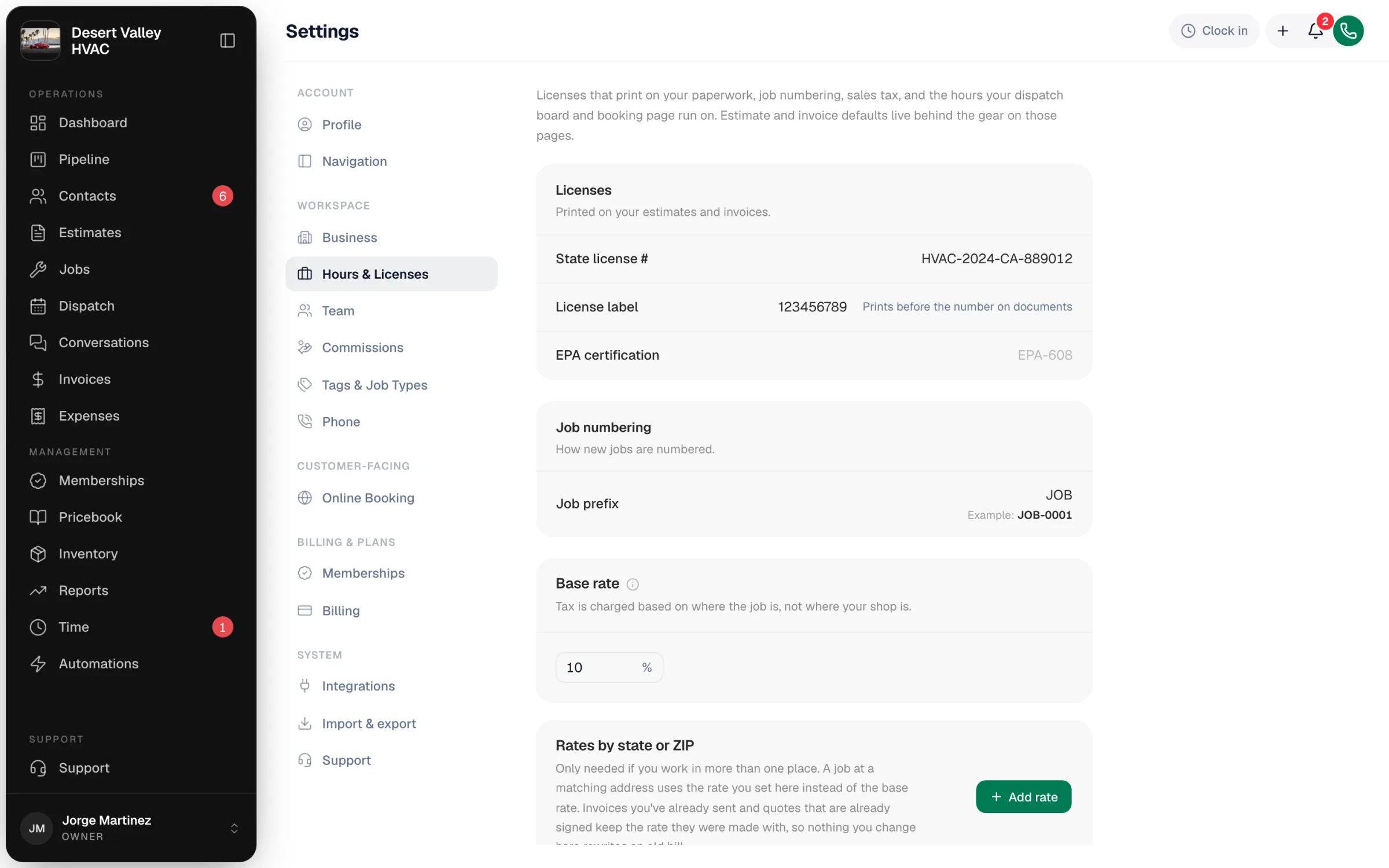
| Section | What you set |
|---|---|
| Licenses | State license #, the License label that prints before it, and your EPA certification. These print on your estimates and invoices. |
| Job numbering | The Job prefix for new job numbers (for example JOB-0001). See Job numbers and reference numbers. |
| Sales tax | Your Base rate, plus Rates by state or ZIP if you work in more than one tax area. Tax is charged based on where the job is, not where your shop is. |
| Inventory | The switch that turns on inventory tracking. See Enabling inventory tracking. |
| Payment methods | The payment method names your team can record (cash, check, financing partners…). See Custom payment methods. |
| Business hours | The days you're open and your hours, shown on the dispatch board. See Setting your business hours. |
Good to know
- Existing documents: invoices you've already sent and estimates that are already signed keep the tax rate they were created with. Changing a tax rate never rewrites an old bill.
- Invoice and estimate defaults (payment terms, terms & conditions, numbering) aren't here. They're behind the gear on the Invoices and Estimates pages.
- More than one location: Run a Call has one business address per account. Each customer's service address lives on their properties, and tax follows the job's address.