
When a customer texts your business number and nobody is around to answer, the AI can text back for you. It answers questions from your business facts, logs service requests for the office to confirm, and hands the thread to a person the moment one replies. It's off for every shop until an owner or admin turns it on.
Before you start
- Business texting has to be set up and registered. Until it is, the Text replies card reads Set up texting. See Registering your business for A2P 10DLC.
- You need to be an owner or admin.
- Fill in your business facts first (see What it knows, below). The AI only quotes prices and policies you've written down.
Turn it on
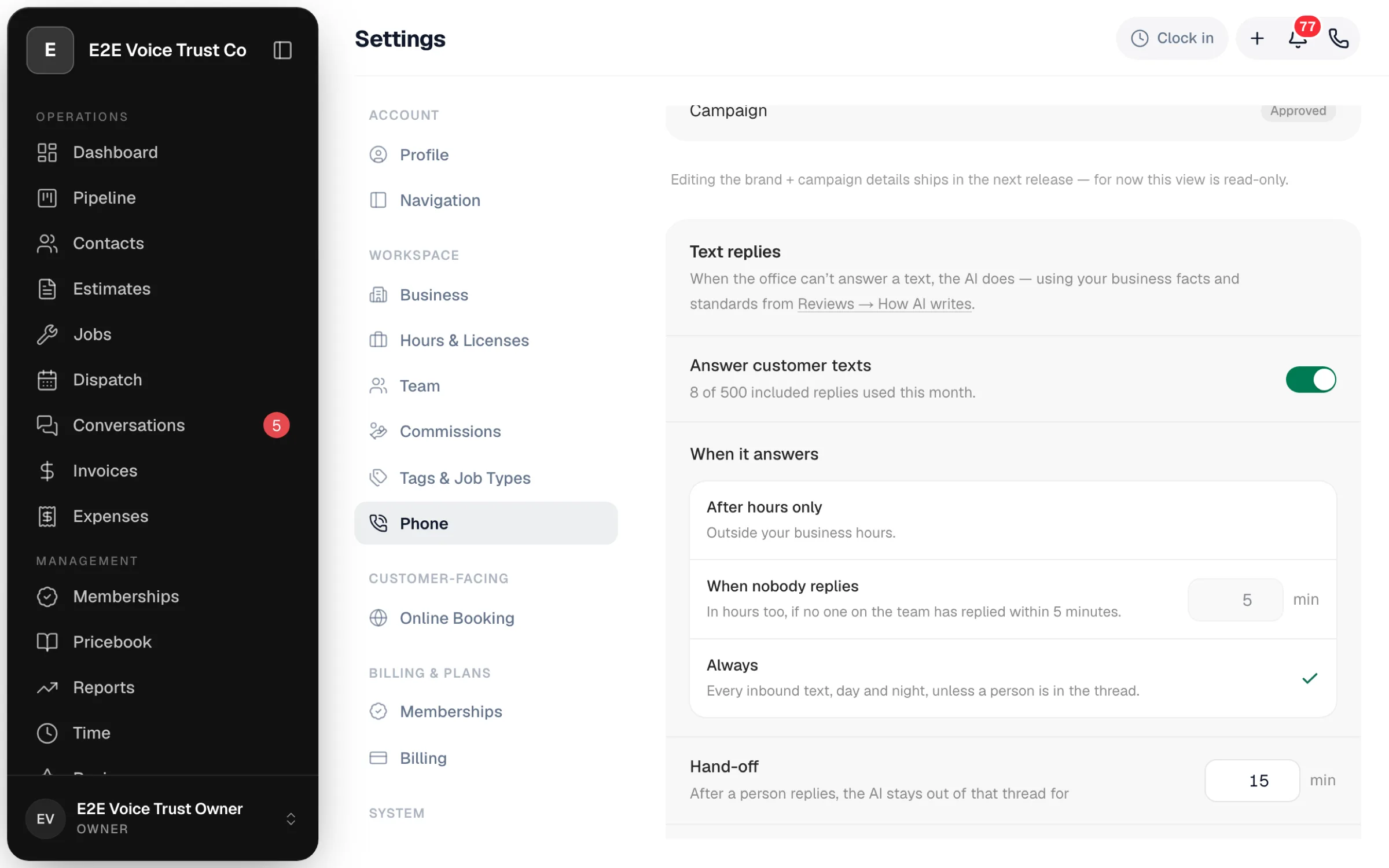
Go to Settings → Phone → Messaging and open the Text replies card. Switch on Answer customer texts, then set how it should behave.
When it answers
| Option | What happens |
|---|---|
| After hours only (default) | Replies outside the hours under Settings → Hours. During the day your team answers as usual. See Setting your business hours. |
| When nobody replies | Replies after hours, and also during the day when a customer's text has sat for the number of minutes you choose (1 to 120) without a reply from the team. |
| Always | Replies to every customer text, day or night. |
Hand-off
Once a person on your team replies in a thread, the AI stays out of that thread for the number of minutes you set (15 by default). Set it longer if your dispatchers tend to have slow back-and-forths with customers.
Says it's an assistant
On by default. The AI's first text of the day to each customer ends with — automated assistant, a person will follow up. We recommend leaving it on; customers are more patient with an assistant than with a person who won't commit to a time.
What it may do
| Permission | What it means |
|---|---|
| Log service requests | When a customer asks for service, the AI creates a booking request for the office to confirm, the same as a request from your booking page. It never promises a time. See Handling online booking requests. |
| Send the payment link | When the customer asks how to pay and already has an unpaid invoice, the AI texts them the pay link. It never sends one otherwise. |
What it never does
- Confirm a date or time for a visit.
- Quote a price that isn't in your business facts.
- Promise a particular technician.
- Give medical, legal or emergency advice. If a customer mentions a gas smell, carbon monoxide or flooding, it tells them to call 911 or the utility, and alerts you.
- Keep replying after a person on your team has answered.
What it knows
The AI reads the same playbook as your Google review replies: Reviews → gear → How AI writes, including your business facts, your standards, the words it must never use, and your cases. See Google reviews: connect, reply, and ask for them.
On top of that, for the customer it's texting with, it can see their open estimate, their unpaid invoice and their next appointment, so it can say "Your visit is booked for Thursday morning" or "Here's the link to approve your estimate" without guessing.
In Messages
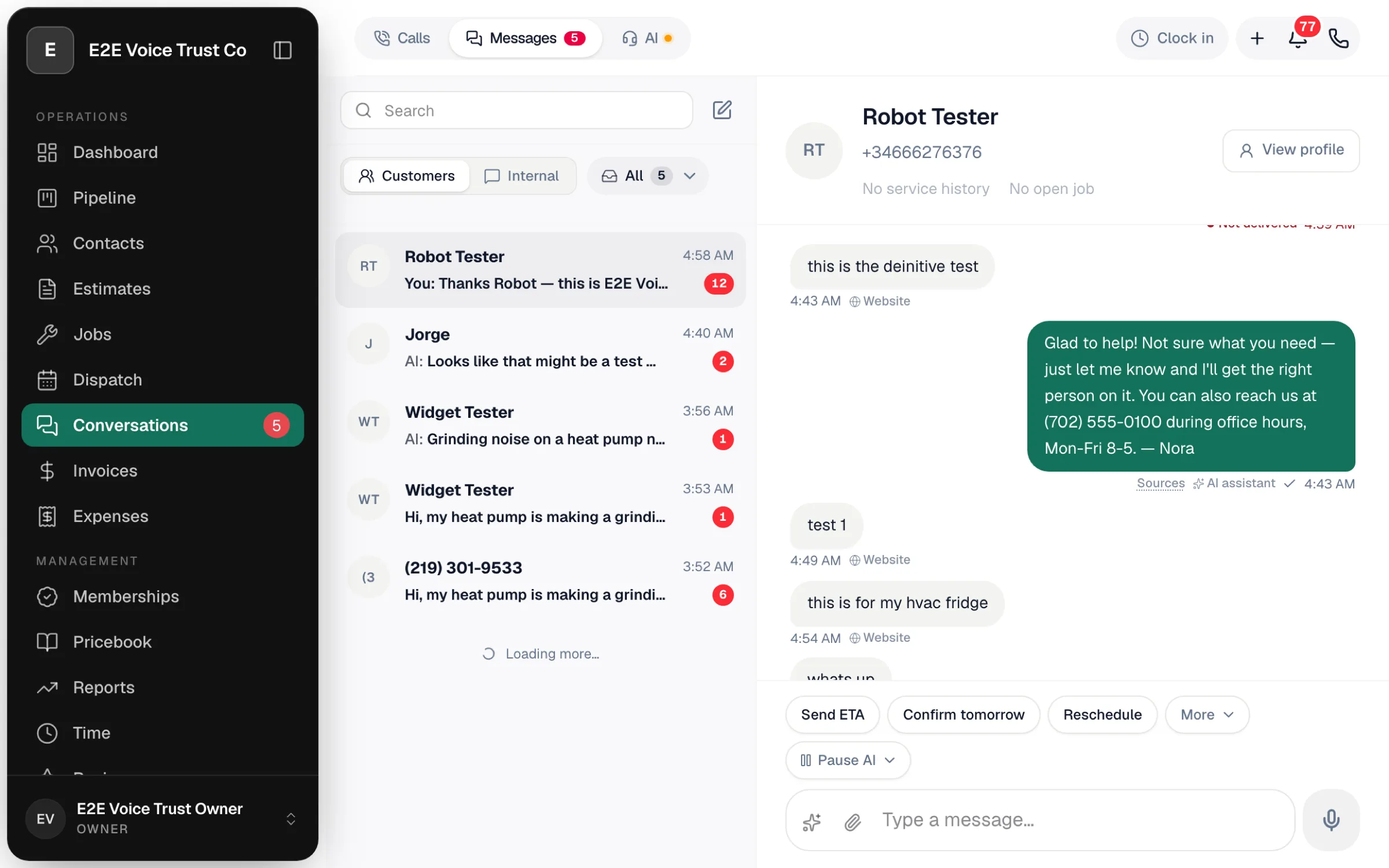
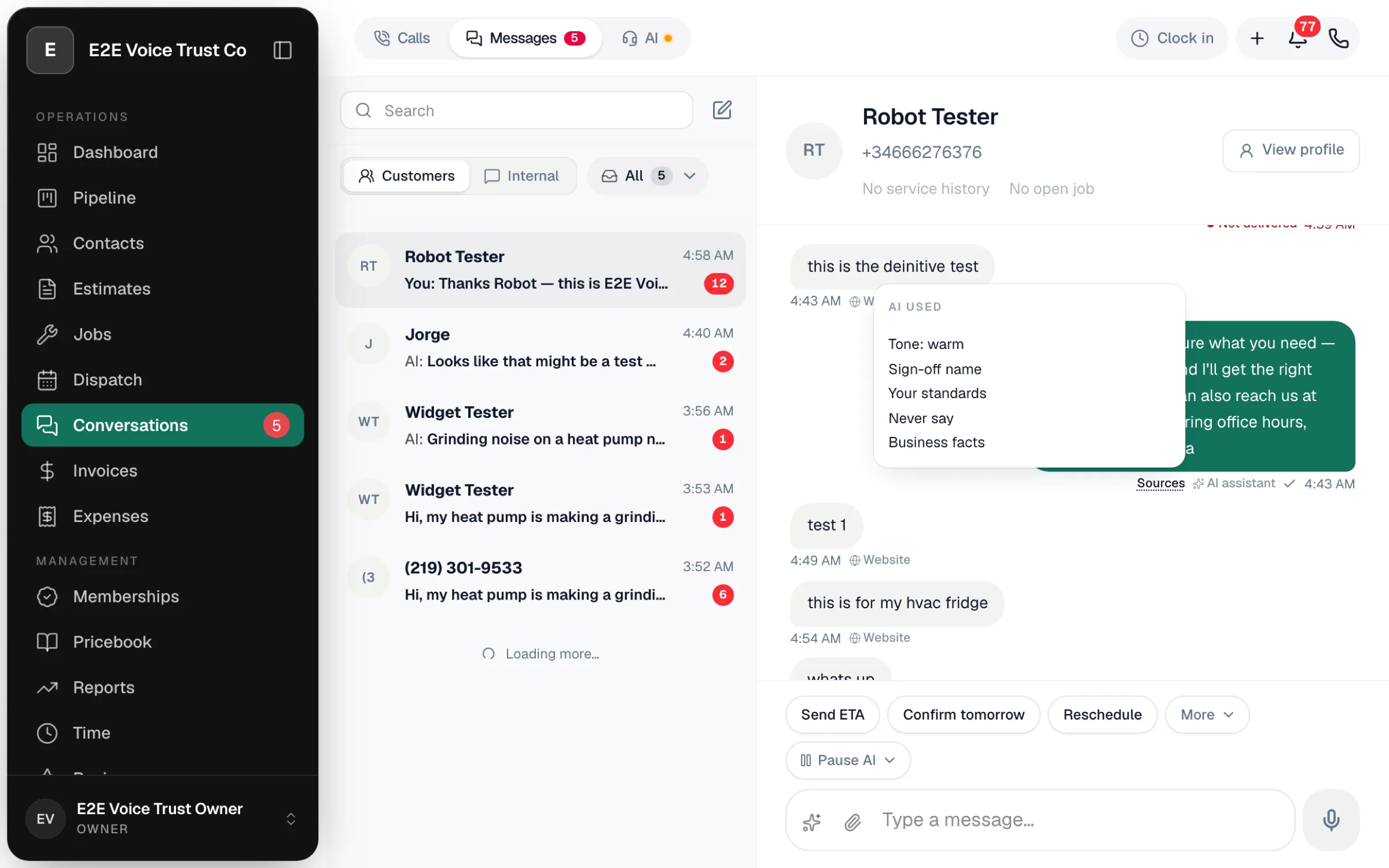
- AI assistant label. Every reply the AI sent carries an AI assistant label in the thread. Click Sources to see which of your facts it used.
- Pause AI. The composer has a Pause AI button for the thread you're in: 5, 15, 30 or 60 minutes, or the rest of today. Click Resume to let it back in sooner.
- AI asked for help. When the AI can't answer, or the customer needs a person, it stops and flags the thread with AI asked for help: … and the reason. Owners and admins get a bell. The AI needs help filter in Messages lists every thread waiting on you. Answer the customer, then click Resume AI if you want it to take over again.
Check the AI needs help filter first thing in the morning. Those are the overnight texts where a customer is waiting on an actual person.
Limits
- One reply per customer message. If a customer sends three quick texts in a row, they get one reply, not three.
- 8 replies per customer per day. After that the AI leaves the thread to your team.
- 500 replies a month are included with texting. Past that the AI stays quiet until the 1st, and the owner gets a bell. The card shows N of 500 used this month so you can see where you are.
Good to know
- Website messages are not answered. Texts that start from the Text us button on your website get the instant reply you wrote for the widget, and nothing more from the AI. See Add a Text us button to your website.
- STOP is respected. The AI never texts a customer who opted out. See How customers can opt out of texts.
- It's a different thing from the AI Receptionist. The receptionist answers phone calls; text replies answer texts. You can run either or both. See AI Receptionist overview.